
The best LMS for a nonprofit is one that keeps costs predictable as the organization and its volunteer base grow, which means avoiding per-seat pricing. Nonprofits should prioritize a free or low flat-rate plan, unlimited users so training volunteers does not raise the bill, ease of use without dedicated IT, and compliance tracking. Free options include open-source platforms and open-core Community Editions, both of which remove per-user license fees entirely.
Why nonprofits need a different LMS calculation
Nonprofits face a training challenge that most businesses do not: they often need to train large, changing groups of people, including staff, volunteers and sometimes beneficiaries, on a budget that has to justify every dollar against the mission. A pricing model that charges per user is actively hostile to that reality, because growing your volunteer base, which is a success, would raise your software bill.
So the best LMS for a nonprofit is not necessarily the one with the most features. It is the one whose cost does not climb as you involve more people, that is simple enough to run without a dedicated IT team, and that still handles the compliance and certification many nonprofits need. Here is what to prioritize and what the real options are.
What nonprofits should prioritize
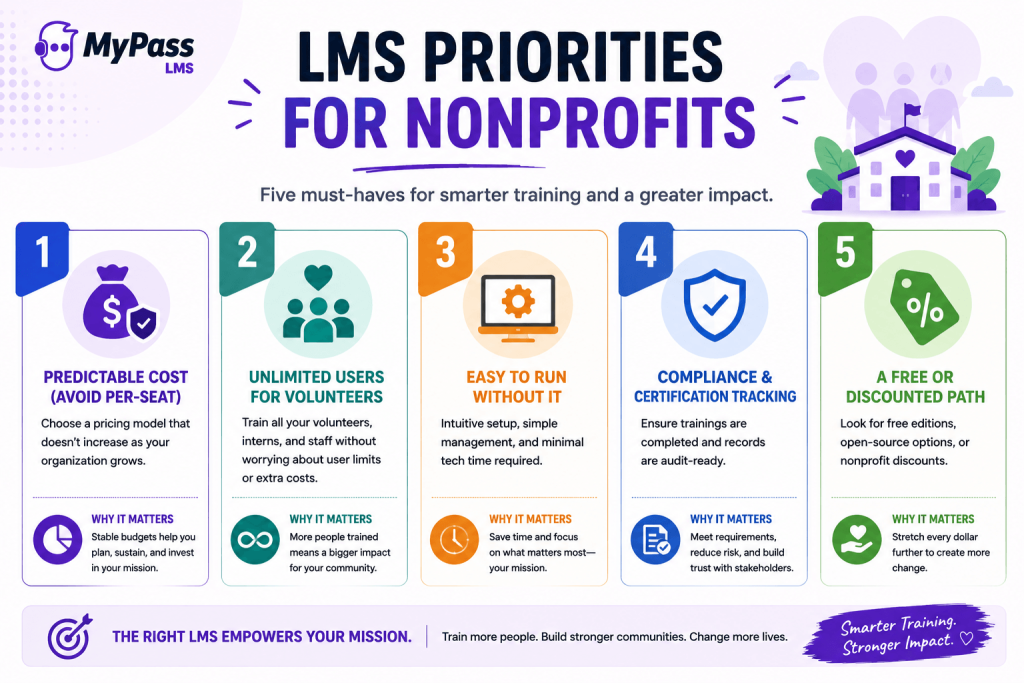
- Predictable cost. Above all, avoid pricing that rises with headcount. A flat or free model means budgeting is stable year to year.
- Unlimited users for volunteers. Nonprofits often train far more people than they employ. Unlimited registered users means onboarding a hundred new volunteers costs nothing extra.
- Easy to run without IT. Few nonprofits have a dedicated LMS administrator, so self-service setup and a simple admin matter more than depth.
- Compliance and certification. Many nonprofits, especially in healthcare, social services and childcare, have mandatory training and need audit-ready records.
- A free or discounted path. Whether through open-source, an open-core free edition, or a nonprofit discount, a genuinely free entry point stretches a mission budget furthest.
The free and low-cost options, honestly assessed
Nonprofits have more genuinely free options than most buyers realize, each with a different trade. [Pricing reflects general 2026 market positioning; confirm current rates and nonprofit programs with each vendor.]
- Moodle (open-source). Free to self-host with no per-user fee, widely used in education. Powerful and endlessly customizable, but you own hosting, upgrades and administration, and the interface is often described as dated and admin-heavy. Best if you have technical capacity.
- TalentLMS (free tier). A free plan for a small number of users with a clean interface, good for a tiny team. The cap means you outgrow the free tier as your volunteer base expands.
- MyPass LMS (open-core). A free, self-hostable Community Edition with unlimited registered users, plus managed hosting from a flat 99 dollars a month if you would rather not self-host. Compliance tracking and certification are included, and there is no per-seat fee at any size.
| → The pattern for nonprofits: open-source gives you free-at-scale if you can run it, free tiers give you free-but-capped, and open-core gives you free-at-scale with an optional managed safety net. Choose by how much technical capacity you have, not by the word free. |
Where MyPass LMS fits for nonprofits
MyPass LMS is built around exactly the constraint nonprofits face, which is cost that must not scale with people. Because it is open-core, a nonprofit with some technical capacity can self-host the free Community Edition with unlimited users indefinitely, and a nonprofit without it can run managed hosting at a flat, predictable rate. Either way, training more volunteers never raises a per-seat bill.
It also covers the compliance and certification many nonprofits genuinely need, with automatic assignment and audit-ready records included rather than sold as an upgrade. And the MyPass LMS nonprofit solution is designed for mission-driven teams specifically. For a nonprofit weighing a free open-source platform it would have to maintain against a capped free tier it would outgrow, the open-core middle path often fits best.
The bottom line
The best LMS for a nonprofit is the one whose cost stays predictable as you involve more staff and volunteers, which rules out per-seat pricing. Prioritize unlimited users, ease of use without IT, compliance tracking, and a genuinely free entry point. Open-source gives you free-at-scale if you can run it, free tiers give you free-but-capped, and open-core gives you a full free core with unlimited users plus an optional managed path. Match the model to your technical capacity and mission budget.
See how MyPass LMS supports mission-driven teams with unlimited users and a free Community Edition, explore the nonprofit solution, or start a free trial.
Frequently Asked Questions
What is the best LMS for a nonprofit?
The best nonprofit LMS keeps costs predictable as staff and volunteers grow, which means avoiding per-seat pricing. Prioritize unlimited users, ease of use without IT, compliance tracking, and a free or discounted path. MyPass LMS, Moodle and capped free tiers are common options, each with different trade-offs.
Is there a free LMS for nonprofits?
Yes, in several forms. Open-source platforms like Moodle are free to self-host, open-core Community Editions like MyPass LMS offer a full free core with unlimited users, and some vendors offer free tiers or nonprofit discounts. Each trades cost in scale, operations or features.
Why is per-seat pricing bad for nonprofits?
Because nonprofits often train large, growing volunteer bases. Per-seat pricing means every additional volunteer raises the software bill, so growing your impact, which is the goal, increases your cost. Unlimited-user or flat pricing avoids penalizing that growth.
Do nonprofits need compliance training features in an LMS?
Often yes. Nonprofits in healthcare, social services, childcare and similar fields have mandatory training requirements and need audit-ready records. An LMS with automatic assignment and compliance tracking included, rather than as a paid add-on, serves them best.
Can a nonprofit run an LMS without technical staff?
Yes. Managed options, including MyPass LMS managed hosting from a flat monthly rate, remove the need to handle hosting and maintenance. Nonprofits with technical capacity can instead self-host a free open-source or open-core Community Edition to avoid license costs entirely.