
An employee upskilling platform that keeps skills current
MyPass LMS makes continuous learning a routine instead of an annual event. Define the skills each role needs, assign learning paths that build them, and add new courses from the documents your experts already wrote.
- Skill and competency libraries with proficiency levels (beta)
- Learning paths by role, assigned automatically
- Your own SCORM content, plus an add-on course library
- AI course builder for PDFs, slide decks and videos
Explore it yourself.
15 days, no credit card.
A 30-minute walkthrough
of your use case, with our team.
Or download the Free Edition →
AI course builder plus an add-on course library · no per-seat fees · 15-day free trial, no credit card
| Employee | Skill | Level | Status |
|---|---|---|---|
| Dana Whitfield | Data literacy | 3 of 4 | Current |
| Luis Ortega | Negotiation | 2 of 3 | In progress |
| Mei Tanaka | AI at work | 1 of 3 | Due Nov 14 |
| Sam Adeyemi | Coaching | 3 of 3 | Complete |
A content library on its own does not build skills
Many upskilling programs start with a big library and an announcement email. A few people browse, most never come back, and nobody can say which skills improved.
Upskilling by catalog
- ✕Employees pick courses at random, if they pick any
- ✕The skills each role needs live in a slide nobody reads
- ✕New topics wait months for someone to build a course
- ✕Reports show logins, not progress toward a skill
Continuous learning on MyPass LMS
- ✓Each role has a pathway tied to named skills and levels
- ✓Paths are assigned by role, department or group automatically
- ✓Subject experts turn their own documents into courses
- ✓Reports show completions and levels by person, team and skill
Name the skills each role needs, then build toward them
Set up libraries of skills and competencies, define proficiency levels, and attach them to role pathways. Each employee sees what their role expects and which courses take them to the next level. The module is in beta, and we set it up with you.
- Skill and competency libraries you adapt to your organization
- Proficiency levels you define for each skill
- Role pathways that link skills to the courses that build them
Turn what your experts know into a course this week
Upload a PDF, slide deck or video and the AI course builder drafts a course with lessons and quizzes. Your subject expert reviews and edits it, then you publish it to the paths that need it. New tools, policies and methods get training while they are still new.
- Lessons and quiz questions drafted from your files
- You review and edit everything before it goes live
- Translation Tool for teams that learn in other languages
- ✓ Course drafted: Pricing playbook 2027
- ✓ 5 lessons
- ✓ 12 quiz questions
- ✓ Ready for expert review
Always a useful next step, without anyone assigning it
Combine ready-made courses, your own SCORM content and live sessions into learning paths with prerequisites. Assign them by role, department or group, and MyPass enrolls new and moving employees automatically, sends reminders and issues a certificate when a path is done.
- An add-on course library in 5 packs, including AI Workplace Readiness
- Connect OpenSesame for 50,000+ off-the-shelf courses
- Live workshops on Zoom or Microsoft Teams with attendance recorded
See who is growing, not just who logged in
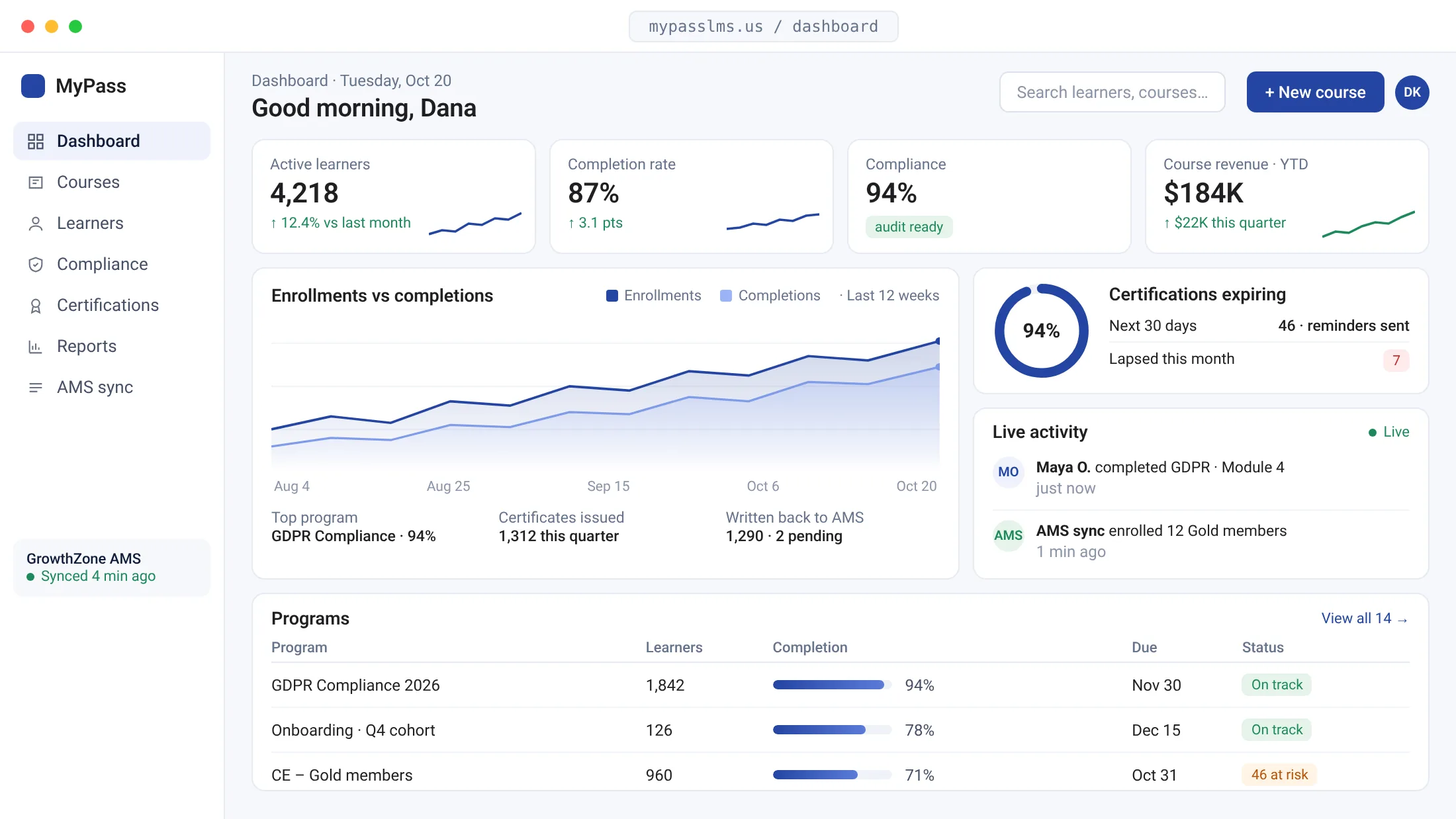
Dynamic Reports show completions, assessment scores, certificates and skill levels by person, team, role or course. Managers see how their people are progressing, and L&D exports the numbers to Excel for the quarterly review.
- Filter by team, role, skill, course or date
- Assessment scores alongside completions
- Export any report to Excel
Start with one role, then expand
Pick a role and its skills
Choose the role where skills are changing fastest. List the skills it needs and the level you expect, and we help you set them up in Skills & Competencies.
Build the pathway
Mix library courses, your own SCORM files and new courses from the AI course builder. Set prerequisites and due dates.
Assign and review monthly
Auto-enroll the role, let reminders do the follow-up, and review the skills report each month to decide what to build next.
Connects to the systems that already know your people
MyPass compared with a content library on its own
| MyPass LMS | Content library subscription | |
|---|---|---|
| What people learn next | A role pathway with prerequisites and due dates | Whatever they find by searching |
| Skills tracking | Skills, competencies and proficiency levels (beta) | Course completions |
| Your own material | Upload SCORM or build courses from your files | Mostly the vendor's catalog |
| Who can be enrolled | Flat plan, unlimited learners on Professional | Set by the library licence |
What L&D teams ask about upskilling
What is an employee upskilling platform?
It is software that helps employees build new skills for their current roles over time, rather than through one annual training event. In MyPass LMS that means skill and competency libraries, role pathways, a course library, assessments that check what people learned, and reports that show progress by person and team.
How does the Skills & Competencies module work?
You create skill and competency libraries, set proficiency levels, and link them to role pathways and the courses that build each skill. Employees see what their role expects. The module is in beta, so we configure it with you. Our guide to building a competency framework helps you decide what goes in it.
What is the difference between upskilling and reskilling?
Upskilling deepens skills for the role someone already has, such as an analyst learning SQL. Reskilling prepares someone for a different role, such as a support agent moving into implementation. MyPass handles both with pathways. More in reskilling vs upskilling.
Do we need to build all our own courses?
No. You can add ready-made courses from the MyPass course library, sold by pack, including Modern Workplace Skills, First-Time Manager Certification and AI Workplace Readiness. You can also connect OpenSesame for 50,000+ more, upload SCORM courses from any authoring tool, or use the AI course builder to turn your own documents and videos into courses.
How do we keep people learning after the first course?
Put courses into learning paths with prerequisites so there is always a clear next step, assign paths automatically by role or group, and let reminders and due dates handle the follow-up. Live workshops on Zoom or Teams and a certificate at the end of each path give people reasons to keep going.
Can we measure whether upskilling is working?
Start with what MyPass records: completions, assessment scores, certificates and skill levels by person and team over time. Put that next to your own business measures, such as internal promotions or time to fill roles, and review both each quarter. Dynamic Reports export to Excel for that review.
More on continuous learning
Pick one role. Build its first pathway today.
Start a free hosted trial and build a skills pathway with the ready-made courses and the AI course builder, or book a 30-minute demo and we will map one with you.
Unlimited registered users on Professional
Explore it yourself.
15 days, no credit card.
A 30-minute walkthrough
of your use case, with our team.