
Switch LMS without losing a single completion record
Most teams stay on an LMS they have outgrown because leaving looks expensive. On the Professional and Enterprise plans, the Kprise team moves your courses, learners and training history into MyPass with you, at no charge. You keep your old system running until you have checked the new one.
- Courses and SCORM packages moved across
- Learner accounts, groups and enrollments imported
- Completion history imported against each learner
- Old system stays live until you sign off
Explore it yourself.
15 days, no credit card.
A 30-minute walkthrough
of your use case, with our team.
Or download the Free Edition →
Free migration on Professional ($249 a month billed annually) and Enterprise · unlimited registered users · 15-day free trial to test with your own content first
The cost of switching is mostly the fear of losing records
Courses are easy to move. The hard part is the history: who completed what, when, and which certificates are still valid. Lose that and an audit a year from now has a hole in it.
Migrating on your own
- ✕Exports in formats the new system does not read
- ✕Completion dates lost, so everyone looks untrained on day one
- ✕Certificates reissued by hand with new dates
- ✕Learners locked out on the morning of the switch
Migrating with the Kprise team
- ✓We map your export to MyPass fields before anything moves
- ✓Completion dates and scores imported against each learner
- ✓Certificate records are reviewed with you, so nothing is reissued blindly
- ✓Sign-in is switched only after you have checked the data
Courses, people and the record that connects them
A migration has three parts and the third is the one that matters. We move the content, then the people, then the history that says which person finished which course and when.
- SCORM packages, videos, documents and assessments
- Learner accounts with groups, departments and roles
- Enrollments, completion dates and scores
- Certificate records, where your current system can export them
| Data | Source | Status |
|---|---|---|
| Courses | 42 | Complete |
| Learners | 3,180 | Complete |
| Completions | 18,406 | In progress |
| Certificates | 2,951 | Pending |
The things we will tell you before you start
Some things do not survive any LMS migration, and it is better to hear that now than on go-live day. We flag each of these when we look at your export.
- Courses built in a vendor's proprietary authoring tool, unless they can be exported as SCORM
- In-progress attempts: a learner halfway through a module usually restarts that module
- Passwords: learners set a new one or sign in through single sign-on
- Custom reports and dashboards, which are rebuilt in MyPass reporting
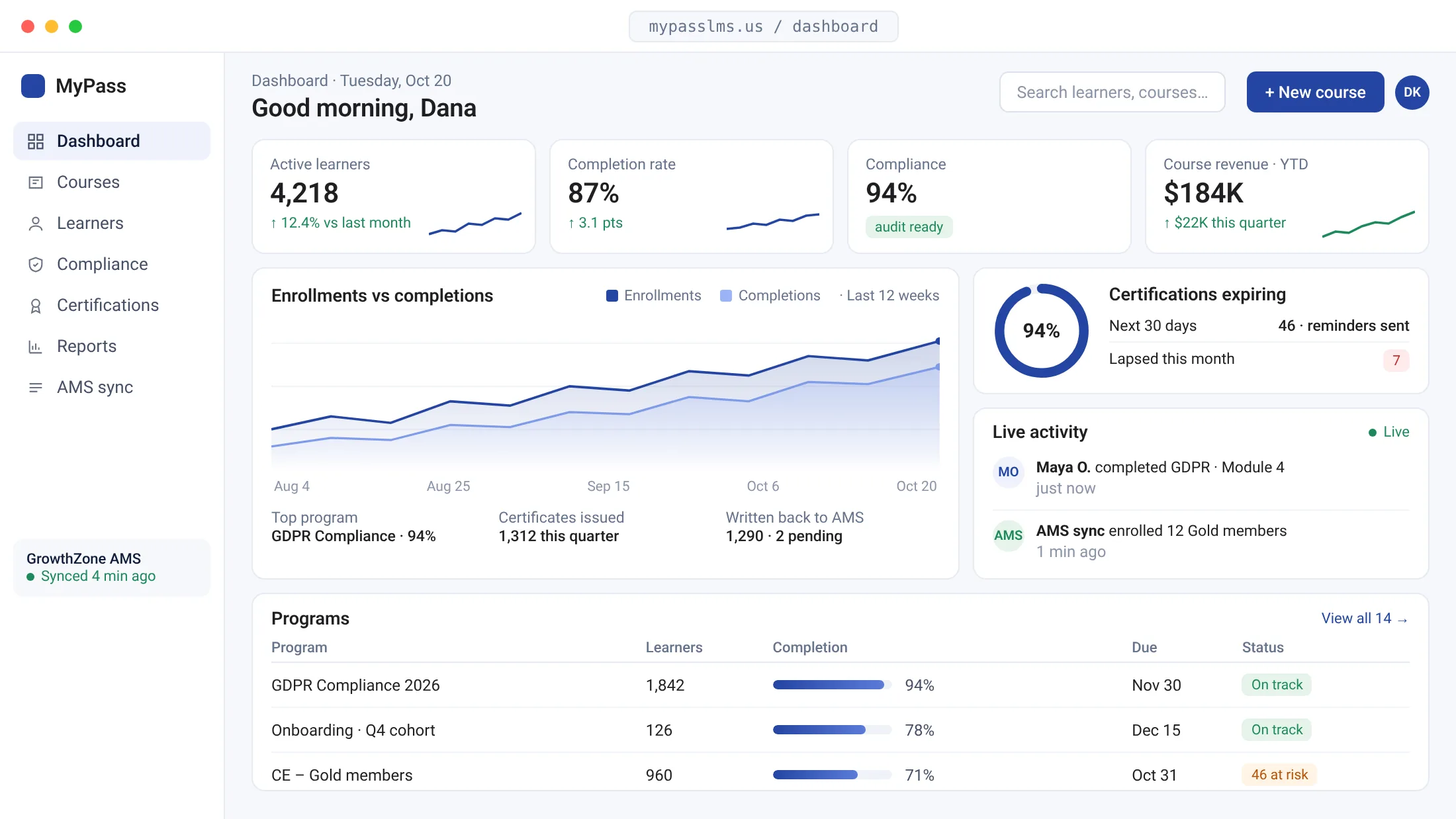
A flat price and the features you were paying extra for
Teams usually switch for one of three reasons: a renewal quote that rose with headcount, a feature locked behind an add-on, or support that stopped answering. MyPass has unlimited registered users on every plan and the same feature set on both hosted plans.
- No per-user fees, so the price does not follow headcount
- Exams, proctoring, certificates and AI translation included
- Your own domain and full white label on Professional
- Priority support from the team that builds the product
The order we do it in
Timing depends on how clean your export is and how many courses you have, so we give you a date after we have seen the data, not before.
Send us an export
Start a trial, then send a sample export from your current LMS. We tell you what will move, what will not, and what we need from you.
We load, you check
Courses first, then learners, then history. You review a sample of real learner records against the old system.
Switch sign-in
When the records match, learners are pointed at MyPass. Keep read-only access to the old system until your contract ends.
Switching to MyPass compared with staying put
| Switch to MyPass | Renew the current LMS | |
|---|---|---|
| Migration cost | Free on Professional and Enterprise | None, but nothing changes |
| Pricing | Flat, unlimited registered users | Whatever the renewal quote says |
| Training history | Imported and checked before go-live | Stays where it is |
| Risk | Old system runs in parallel until sign-off | The problems you already know |
LMS migration questions, answered
How much does it cost to migrate to MyPass LMS?
Nothing on the Professional and Enterprise plans: the Kprise team moves your courses, learners and records with you as part of the plan. On Starter you can import courses and upload learners yourself.
Will we lose completion history when we switch?
No, as long as your current LMS can export it. Completion dates and scores are imported against each learner, and you check a sample against the old system before go-live.
Which LMS platforms can you migrate from?
Any platform that can export its courses as SCORM or source files and its users and completions as a spreadsheet or through an API. That covers most commercial and open-source systems, including Moodle. Tell us which one you run and we will say what its export contains.
How long does an LMS migration take?
It depends on the number of courses and how clean the export is, so we give a date after seeing a sample. A small library with tidy data moves quickly; years of history across several systems takes longer. We would rather give you an honest date than a fast one.
When should we start if our contract renews soon?
Start the trial and send a sample export as early as you can, and keep the old system until its term ends. Running both in parallel for a few weeks is the safest way to switch. The migration guide has a checklist.
Can we test MyPass before committing to move?
Yes. The 15-day hosted trial is the full platform with no credit card. Load two or three of your real courses and a handful of real learners first.
More on choosing and switching
Send us a sample export and get a straight answer
Start a free hosted trial and load a few of your own courses, or book a 30-minute call and tell us which LMS you are leaving. We will tell you what moves.
Unlimited registered users on every plan
Explore it yourself.
15 days, no credit card.
A 30-minute walkthrough
of your use case, with our team.