
LMS SSO: Single Sign-On and SCIM Provisioning Explained
LMS SSO explained: how single sign-on (SAML or OIDC) and SCIM user provisioning work, step-by-step setup with your identity provider, and vendor questions.
On this page 9 sections
- Two Different Jobs: Login and Accounts
- How SSO Works (SAML in Plain Terms)
- Why SSO Alone Is Not Enough
- How Provisioning Works (SCIM in Plain Terms)
- How to Set Up SSO and Provisioning for Your LMS, Step by Step
- What to Ask an LMS Vendor
- SSO and Provisioning in MyPass LMS
- The bottom line
- Frequently asked questions
Short answer
Single sign-on lets people log into your LMS with their existing company credentials, so there is no separate password. User provisioning creates, updates and removes their accounts automatically as staff join, change roles or leave. SSO handles who can log in; provisioning handles which accounts exist. Together they make LMS access secure and hands-off.
Two Different Jobs: Login and Accounts
SSO and provisioning are often lumped together, but they solve two distinct problems, and understanding the difference is the key to the whole topic.
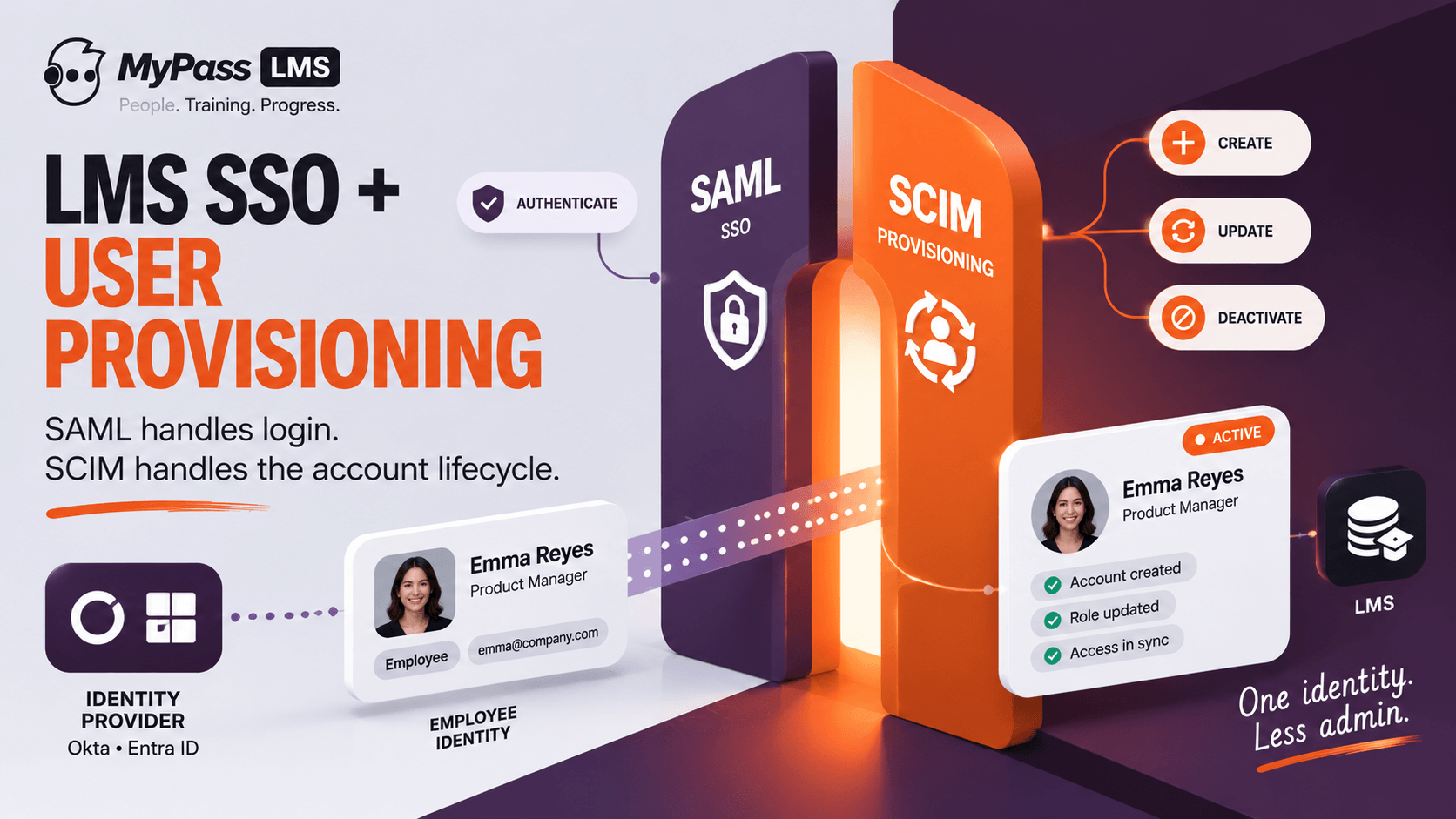
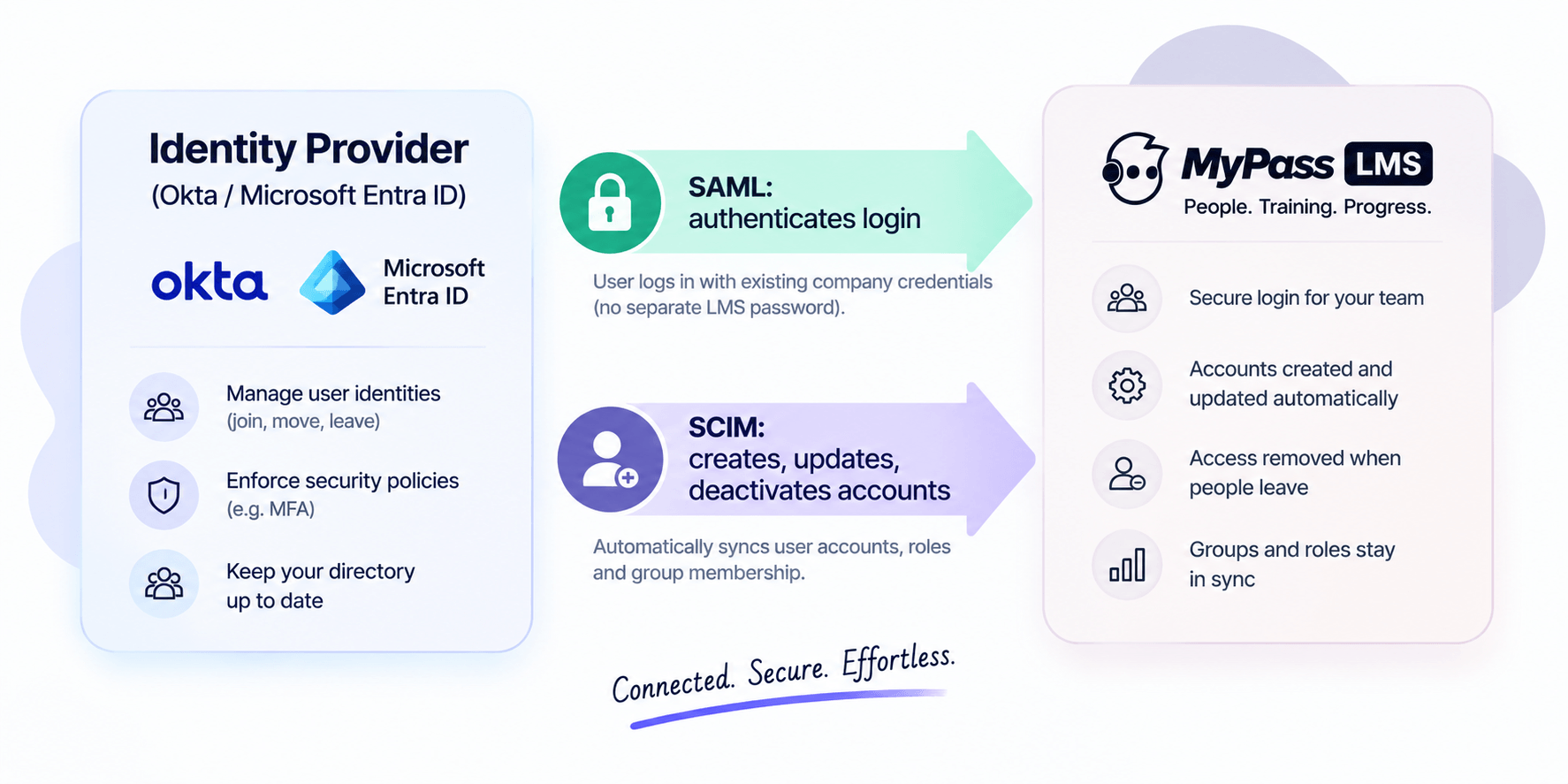
Single sign-on, or SSO, is about authentication: it lets an employee log into your LMS using the same credentials they already use for everything else, through an identity provider such as Okta or Microsoft Entra ID. No separate LMS password to create, forget or reset. Provisioning is about account lifecycle: automatically creating an account when someone joins, updating it when they change roles, and removing access when they leave.
Key point
The one-line distinction: SSO controls who can log in. Provisioning controls which accounts exist in the first place, and when they are switched off. You usually want both.
How SSO Works (SAML in Plain Terms)
Most LMS single sign-on runs on a standard called SAML, with newer systems also supporting OIDC. The mechanics are simpler than the acronyms suggest.
When a user tries to reach the LMS, the LMS asks the company’s identity provider to confirm who they are. The identity provider checks the user is validly logged in and sends back a secure, signed assertion vouching for them. The LMS trusts that assertion and lets them in. The user never types an LMS-specific password, and the company keeps a single, central place to control access.
- One set of credentials: users log in with their existing company identity.
- Central control: disable someone in the identity provider and their LMS login stops working.
- Fewer passwords: nothing LMS-specific to forget, reset or leak.
- Stronger security: authentication policies such as MFA are enforced centrally.
SAML or OIDC: which should your LMS use?
Both are open standards and both give users the same experience: click, get bounced to the company login, land in the LMS. The difference is mostly under the hood and in what your identity provider and LMS support.
| SAML 2.0 | OpenID Connect (OIDC) | |
|---|---|---|
| Message format | Signed XML assertion | Signed JSON token (JWT), built on OAuth 2.0 |
| Typical setup data | Entity ID, ACS URL, IdP metadata and signing certificate | Client ID, client secret, redirect URI, issuer URL |
| Where it is common | Enterprise and education identity providers, older LMS platforms | Newer web and mobile apps, social and consumer logins |
| Good default when | Your IT team already runs SAML apps | The LMS also has a mobile app or you want a lighter setup |
Why SSO Alone Is Not Enough
A lot of buyers assume SSO covers everything. It does not, and the gap matters most at the worst possible moment: when someone leaves.
Many platforms create accounts through just-in-time provisioning, meaning the account is made the first time a user logs in via SSO. That works fine for onboarding. But it does nothing for offboarding: when an employee is disabled in the identity provider, no login happens, so the LMS never receives an update. The account, its data and any access can linger. For that, you need real provisioning.
Key point
Just-in-time provisioning handles the first login well and offboarding not at all. If the only mechanism is JIT, terminated users can keep lingering LMS accounts. That is a security and compliance gap.
How Provisioning Works (SCIM in Plain Terms)
Automated provisioning usually runs on a standard called SCIM. Where SAML handles login, SCIM keeps the actual accounts in sync between your identity provider and the LMS, in both directions of the lifecycle.
- Create: when HR adds someone to the directory, SCIM creates their LMS account automatically, before they ever log in.
- Update: when someone changes role, department or name, those attributes update in the LMS without a manual edit.
- Deactivate: when someone is removed in the identity provider, SCIM deactivates their LMS account promptly, closing the offboarding gap.
- Groups: team or department membership can sync, which is powerful when training is assigned by group.
| SSO (SAML) | Provisioning (SCIM) | |
| Job | Authenticates login | Manages account lifecycle |
| Handles onboarding | At first login (JIT) | Before first login, automatically |
| Handles offboarding | No | Yes, deactivates on removal |
| Keeps roles in sync | No | Yes |
How to Set Up SSO and Provisioning for Your LMS, Step by Step
The exact screens differ between Okta, Microsoft Entra ID, Google Workspace and other identity providers, but the sequence is the same everywhere. Plan on an IT admin and an LMS admin working together for an afternoon, then a pilot group for a week.
- Pick the protocol. Check which of SAML 2.0 or OIDC both your identity provider and your LMS support, and prefer the one your IT team already uses for other apps.
- Create the app in your identity provider. In Okta this is a new app integration; in Microsoft Entra ID it is a new enterprise application. Give it the LMS name and logo so users recognise it.
- Exchange the connection details. For SAML, copy the LMS's Entity ID and ACS (reply) URL into the identity provider, then give the LMS the identity provider's metadata URL or file and signing certificate. For OIDC, register the LMS redirect URI and give the LMS the client ID, client secret and issuer URL.
- Map the attributes. Send at least a stable unique ID or email, first name and last name. Add department, job title, location or manager if the LMS uses them to assign training.
- Assign a pilot group and test. Test login from the LMS sign-in page and from the identity provider's app dashboard, test a user with no LMS account yet, and test a disabled user.
- Turn on SCIM provisioning. Generate the SCIM base URL and API token in the LMS, enter them in the identity provider's provisioning settings, and enable create, update and deactivate. Map groups if training is assigned by team.
- Test offboarding on purpose. Disable a test user in the identity provider and confirm the LMS account is deactivated without anyone touching the LMS. This is the step most rollouts skip.
- Keep a break-glass admin. Leave at least one LMS administrator who can sign in without SSO, so an identity provider outage or certificate expiry does not lock everyone out.
Tip
Put the SAML signing certificate's expiry date in a shared calendar. An expired certificate is one of the most common reasons SSO suddenly stops working for every user at once.
What to Ask an LMS Vendor
Because these two capabilities are easy to conflate, it is worth asking specific questions before you buy, especially if you have more than a few hundred users.
- Do you support SAML SSO, and with which identity providers (Okta, Microsoft Entra ID, others)?
- Do you support SCIM provisioning, or only just-in-time account creation at login?
- When someone is disabled in our identity provider, does their LMS account deactivate automatically?
- Can group or department membership sync, so training assignment by group stays current?
- How are role changes reflected, and how quickly?
Key point
The single most revealing question: ‘when we offboard someone, what happens to their LMS account, and how?’ If the answer relies on a manual step, that is a gap you will eventually pay for.
SSO and Provisioning in MyPass LMS
MyPass LMS supports single sign-on so learners access training with their existing company credentials, and it handles user provisioning so accounts are created, updated and deactivated in step with your systems rather than by hand. Combined with bulk onboarding and its AMS integrations, that keeps the right people in the platform with the right access, automatically.
The practical payoff is less admin and fewer security gaps: new joiners get access without manual account creation, role changes flow through, and leavers lose access promptly. For associations, the same principle extends to member records syncing bidirectionally with the AMS.
The bottom line
SSO and provisioning solve two different problems, and secure, low-admin LMS access needs both. SSO, usually via SAML, controls who can log in with existing credentials. Provisioning, usually via SCIM, controls which accounts exist and, crucially, deactivates them when people leave. Relying on SSO with just-in-time creation alone leaves an offboarding gap.
When you evaluate platforms, ask specifically about both. See how access, bulk onboarding and integrations work in MyPass LMS features, or start a free trial to test them with your identity provider.
Frequently asked questions
What is the difference between SSO and user provisioning?
SSO, single sign-on, controls authentication: it lets users log into the LMS with their existing company credentials. User provisioning controls account lifecycle: creating, updating and deactivating accounts as people join, change roles or leave. SSO decides who can log in; provisioning decides which accounts exist. Secure, low-admin access needs both.
What is the difference between SAML and SCIM?
SAML is the standard behind single sign-on; it authenticates a user’s login by exchanging a signed assertion between your identity provider and the LMS. SCIM is the standard behind provisioning; it automatically creates, updates and deactivates accounts to keep the LMS in sync with your directory. SAML handles login, SCIM handles account lifecycle.
Why is SSO alone not enough for an LMS?
Many platforms create accounts through just-in-time provisioning at first login via SSO, which handles onboarding but not offboarding. When an employee is disabled in the identity provider, no login occurs, so the LMS is never told to remove them and the account can linger. SCIM provisioning closes that gap by deactivating accounts automatically.
What should I ask an LMS vendor about identity and access?
Ask whether they support SAML SSO and with which identity providers, whether they support SCIM provisioning or only just-in-time creation, what happens to an LMS account when someone is offboarded, whether group membership syncs, and how quickly role changes are reflected. The offboarding question is the most revealing.
How do I set up SSO for an LMS?
Choose SAML or OIDC, create an app for the LMS in your identity provider, exchange the connection details (Entity ID, ACS URL and certificate for SAML; client ID, secret and redirect URI for OIDC), map user attributes, and test with a pilot group. Then enable SCIM provisioning so accounts are created and deactivated automatically, and keep one admin who can sign in without SSO.
Should an LMS use SAML or OIDC for single sign-on?
Either works for users. SAML 2.0 is the long-standing enterprise standard and is supported by most identity providers and LMS platforms. OIDC is newer, uses lightweight JSON tokens and is common in modern web and mobile apps. Choose the one both your identity provider and LMS support and your IT team already runs.
Keep reading
Choosing an LMS
Free LMS or Free Trial? The Five Kinds of Free
Choosing an LMS