
Best LMS for a One-Person L&D Team
On this page 7 sections
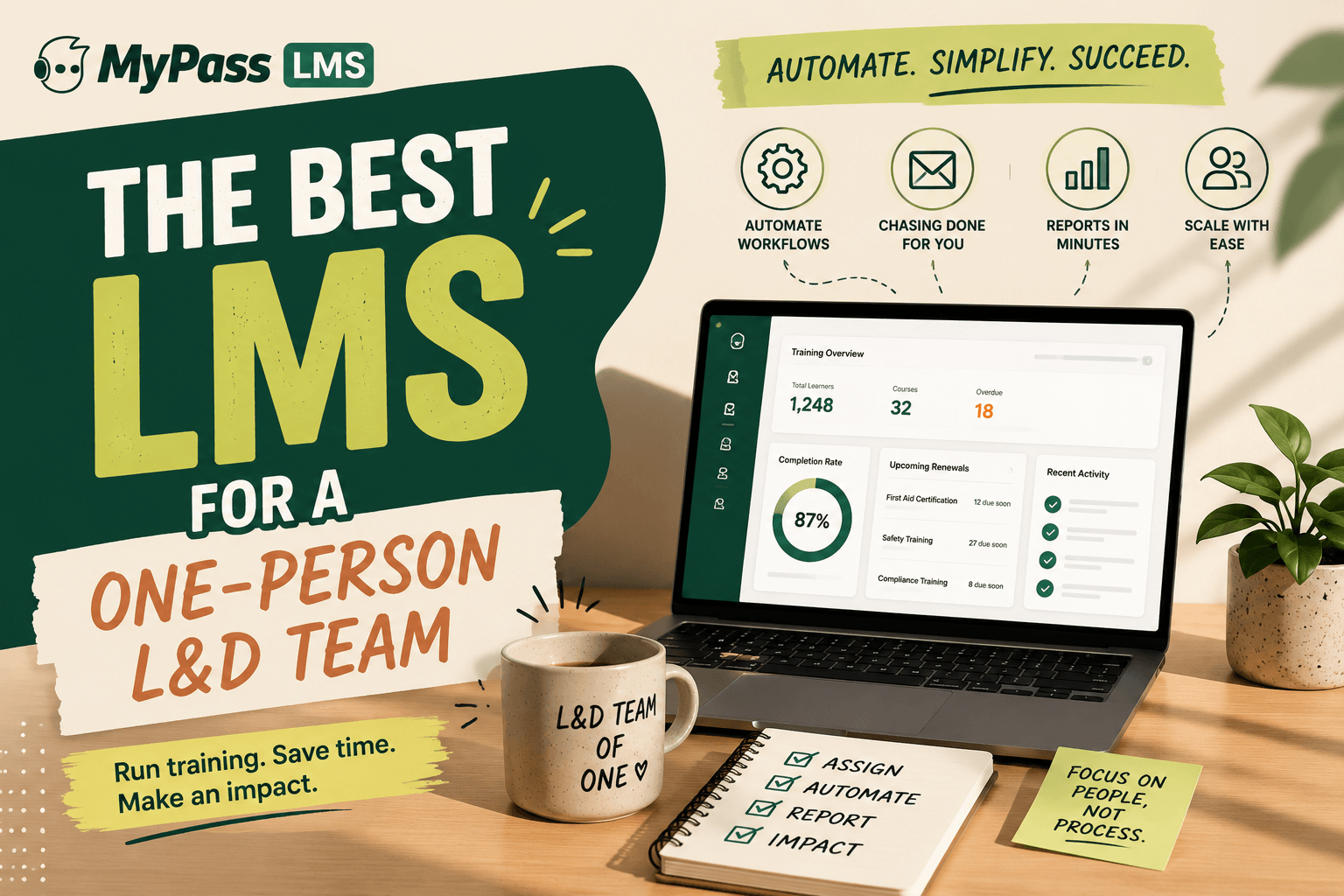
If you are the entire learning function, prioritise automation over features. The right platform assigns training by rule, chases non-completers, tracks renewals and produces reports without you touching them. Configurability you have no time to configure is a cost, not a benefit, and per-seat pricing punishes you for growing coverage.
The most common L&D setup nobody writes for
Most published learning advice assumes a team: an instructional designer, an LMS administrator, someone doing analytics. The actual median setup in a small or mid-sized organization is one person, often an HR generalist for whom training is a portion of a wider job.
The research reflects the strain. Thirst's 2026 research found 58 percent of small and mid-sized business L&D professionals say they are too busy delivering programmes to think strategically about learning, and 39 percent update their learning strategy only once a year. Separately, 87 percent of L&D leaders report feeling under-equipped to meet their annual priorities, with capability gaps in data analytics, AI and instructional design at scale.
If that is you, the platform criteria that matter are genuinely different from the ones vendors lead with.
What actually matters when you are the whole department
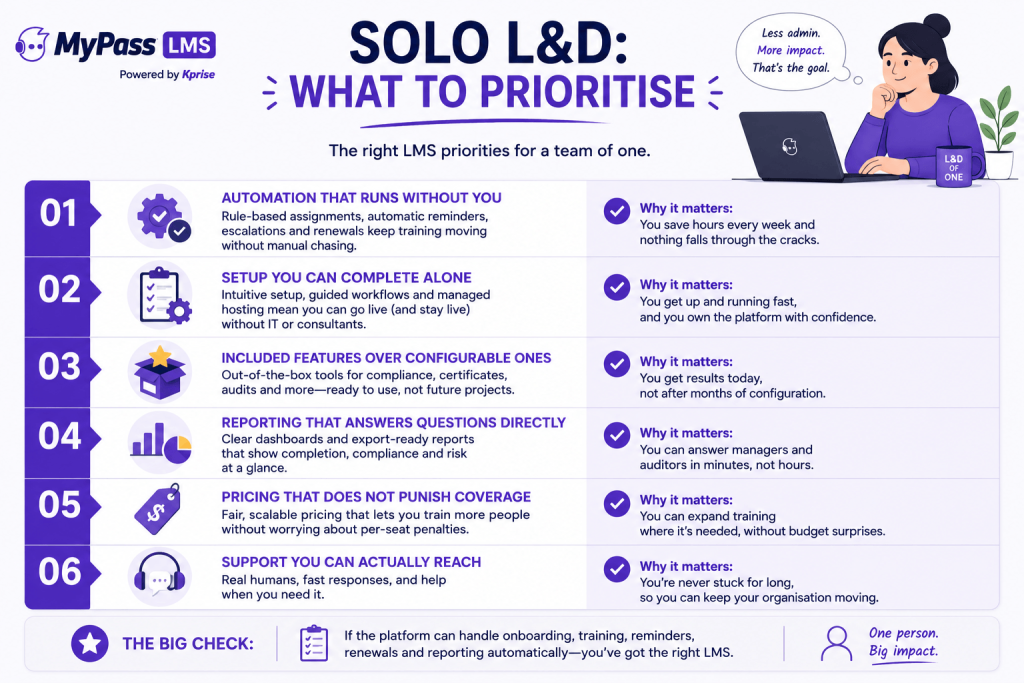
- Automation over capability. The question is not what can the platform do, it is what does it do without me. Rule-based assignment, automatic reminders and escalation, and renewal reassignment are worth more than any feature you would have to operate manually.
- Setup you can finish yourself. If go-live requires a professional services engagement or a developer, you do not have a route to go-live. Managed hosting matters here for the same reason: you cannot be the server administrator as well.
- Included beats configurable. A configurable platform is a promise of future work. When there is one of you, features that work on defaults beat features you could tailor if you had a spare fortnight.
- Reporting that answers the actual question. You need to produce a completion report for a manager or an auditor in minutes, without exporting to a spreadsheet and pivoting it yourself.
- Pricing that does not punish coverage. Per-seat pricing forces you to ration enrolment, which is the opposite of your job.
- Reachable support. Community forums are excellent when you have time to read them. You are the escalation path for your whole organization, so someone needs to be yours.
Key point
The clarifying question for any demo: show me what happens automatically when a new employee joins and needs four courses assigned by role, with reminders and a renewal in twelve months. If the answer involves you doing anything each time, it is the wrong platform for a solo operator.
How the options compare for a team of one
An honest read. [General 2026 market positioning; confirm current capability and pricing directly with vendors.]
- Moodle. Free and immensely capable, with over 2,000 plugins. For a solo non-technical operator it is usually the wrong answer, because you inherit hosting, patching, upgrades and plugin vetting alongside your actual job. If you are technical and enjoy that work, it is genuinely economical. If you are not, the free licence is paid for in your evenings.
- TalentLMS. Deliberately easy to set up with published pricing, which is a real strength for small teams. The trade is user brackets, currently around 40, 70 and 100 active users across its tiers, so cost steps up as coverage grows and you end up managing to the bracket.
- Docebo and other enterprise platforms. Powerful and well supported, but designed around teams with administrators. A quote-based enterprise sale and a configuration-heavy platform are a poor match for someone who needs to be live next month.
- MyPass LMS. Managed hosting from 99 dollars a month with unlimited registered users, automatic role-based assignment, renewal tracking and one-click reporting included on every plan, so the automation is not gated behind a tier you would need to justify.
The two traps solo operators fall into
Trap one: choosing on features. Feature comparison spreadsheets reward the platform with the most rows, which is usually the one that assumes an administrator. You will use a fraction of any platform's capability. Choose on what runs unattended.
Trap two: choosing free without capacity. Self-hosted free software is genuinely economical for technical teams and genuinely expensive for everyone else, because the licence is free but the operation is not. If a security patch might sit unapplied for a month because you were busy, you cannot carry a self-hosted platform.
Both traps have the same root: evaluating the platform in isolation rather than evaluating platform plus available human hours. There is one of you. That is the binding constraint, and it should drive the decision.
A realistic first ninety days as a team of one
- Weeks 1 to 2. Pick the platform and get it live. Managed hosting means this is configuration, not a project. Load your mandatory compliance courses first, since those have deadlines and the clearest value.
- Weeks 3 to 4. Build the automation rules: assignment by role and department, reminder schedules, escalation to managers, renewal cycles. This is the highest-leverage work you will do, because it is the work that stops recurring.
- Weeks 5 to 8. Onboarding path next, since it repeats forever and pays back every hire.
- Weeks 9 to 12. Reporting. Set up the reports managers and auditors ask for, so the answer to a request is a link rather than an afternoon.
- After that. Only then start on development content, skills or anything strategic. It will still be there, and you will have bought yourself the time to do it.
The sequencing matters because compliance and onboarding are the two areas where automation removes recurring work permanently. Everything strategic gets easier once you are not spending your week chasing completions by email.
The bottom line
When you are the whole learning function, the best LMS is not the most capable one, it is the one that runs without you. Prioritise rule-based assignment, automatic reminders and escalation, renewal tracking and instant reporting over configurability you have no hours to use. Avoid per-seat pricing that makes broad coverage expensive, and avoid self-hosting unless you genuinely have the technical capacity. Then automate compliance and onboarding first, because those are the two loops that otherwise consume your year.
MyPass LMS includes automation, unlimited registered users and managed hosting from 99 dollars a month, so a solo operator can be live without a developer. Compare the plans, or start a 15-day free trial with no credit card.
Frequently asked questions
What is the best LMS for a small L&D team?
The one that automates the most without needing an administrator: rule-based assignment, automatic reminders and escalation, renewal tracking and instant reporting. Managed hosting matters too, since a solo operator cannot also be the server administrator. Avoid per-seat pricing that discourages broad coverage.
Can one person run an LMS?
Yes, provided the platform automates the recurring work. The failure mode is choosing a highly configurable platform that assumes a dedicated administrator, or a self-hosted free option that adds server maintenance to an already full job.
Is Moodle good for a one-person L&D team?
Only if that person is technical and has time for hosting, patching and upgrades. Moodle is genuinely capable and free to licence, but a solo non-technical operator effectively pays the licence saving in their own evenings maintaining infrastructure.
What should I automate first as a solo L&D manager?
Compliance training and onboarding. Both recur permanently, both have deadlines, and both consume disproportionate manual effort through assignment and chasing. Automating them frees the time needed for anything strategic.
How long does it take to get an LMS live on your own?
With managed hosting and a focused scope, a solo operator can realistically be live with mandatory compliance courses within a fortnight, with automation rules built in the following two weeks. Timelines stretch when the platform requires configuration work or self-hosting.
Keep reading
Choosing an LMS
Best LMS for Government and Public Sector Organizations
Choosing an LMS
Best LMS for Logistics and Transportation: A Buyer's Guide
Choosing an LMS
Best LMS for Hospitality: Hotels, Restaurants and Beyond

Choosing an LMS