
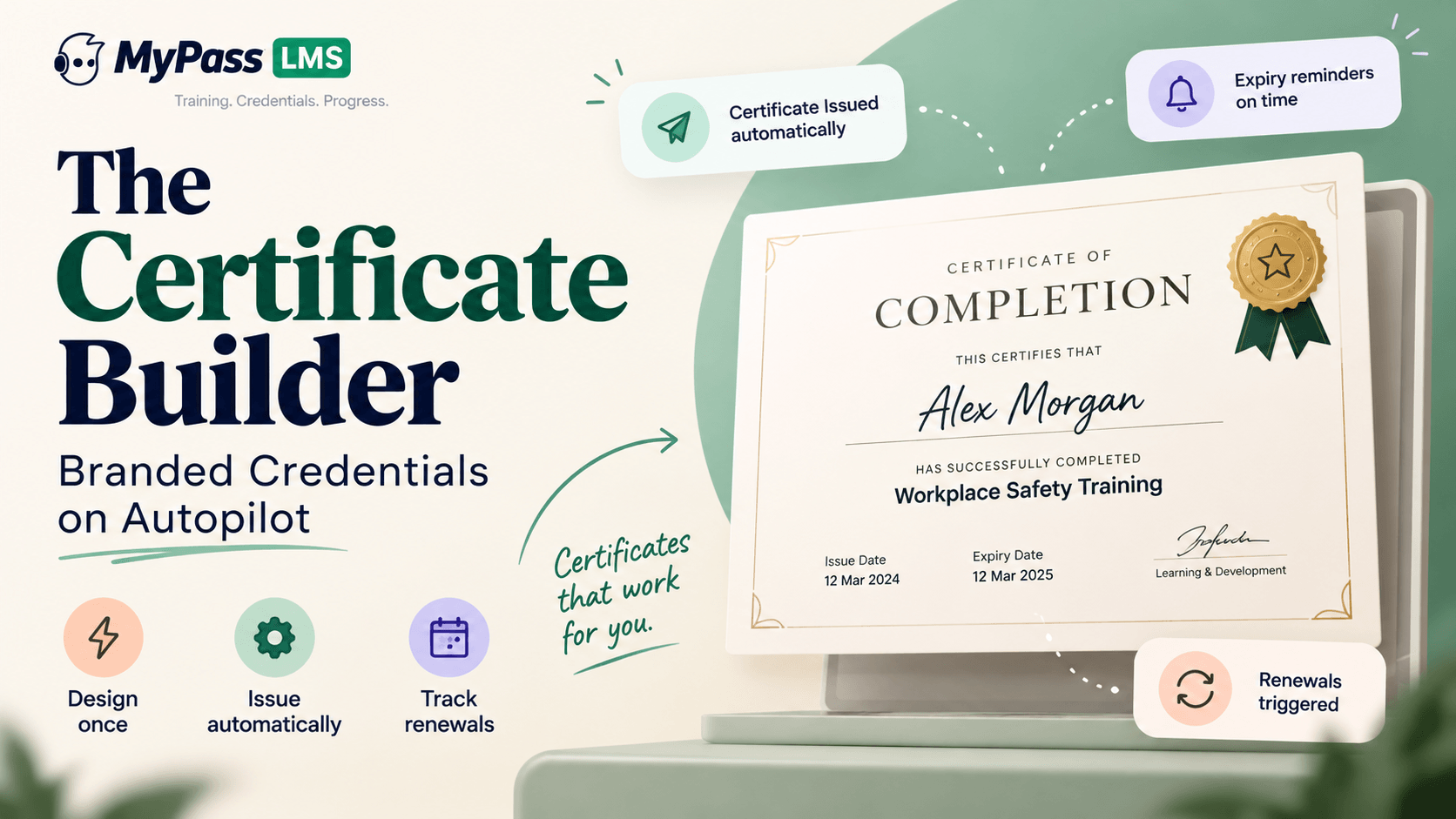
The Certificate Builder: Branded Credentials on Autopilot
A certificate builder lets you design branded certificates once and issue them automatically on course or path completion, with expiry dates tracked and renewals triggered before a credential lapses. Manual certificates are slow, inconsistent and unverifiable, and the expiry tracking is where they fail most damagingly.
On this page 7 sections
A certificate builder lets you design branded certificates once and issue them automatically on course or path completion, with expiry dates tracked and renewals triggered before a credential lapses. Manual certificates are slow, inconsistent and unverifiable, and the expiry tracking is where they fail most damagingly.
The certificate is often the product
For a lot of training, the certificate is not a souvenir. It is the reason the learner turned up. Members collect continuing education credits, contractors need proof of safety training before they can be on site, professionals maintain licensure, and employers file the record as evidence.
Yet certificates are frequently handled as an afterthought: a template someone designed once, filled in by hand or mail-merged, emailed as a PDF, and then forgotten. That works at ten a year and breaks completely at a thousand.
What automated issuance actually removes
- The delay. Manual issuance means a gap between completing and receiving, which generates support requests and undermines the moment the credential mattered most.
- The inconsistency. Hand-filled certificates accumulate variations in wording, dates and formatting, which looks unprofessional on a credential meant to signal rigour.
- The transcription errors. Names spelled from memory and dates typed incorrectly are common, and a certificate with the wrong date is worse than none for compliance purposes.
- The expiry blind spot. This is the serious one, covered below.
With a certificate builder, you design the template once with your branding, and issuance happens automatically on completion, populated from the actual record rather than retyped.
Expiry is where manual certificates fail
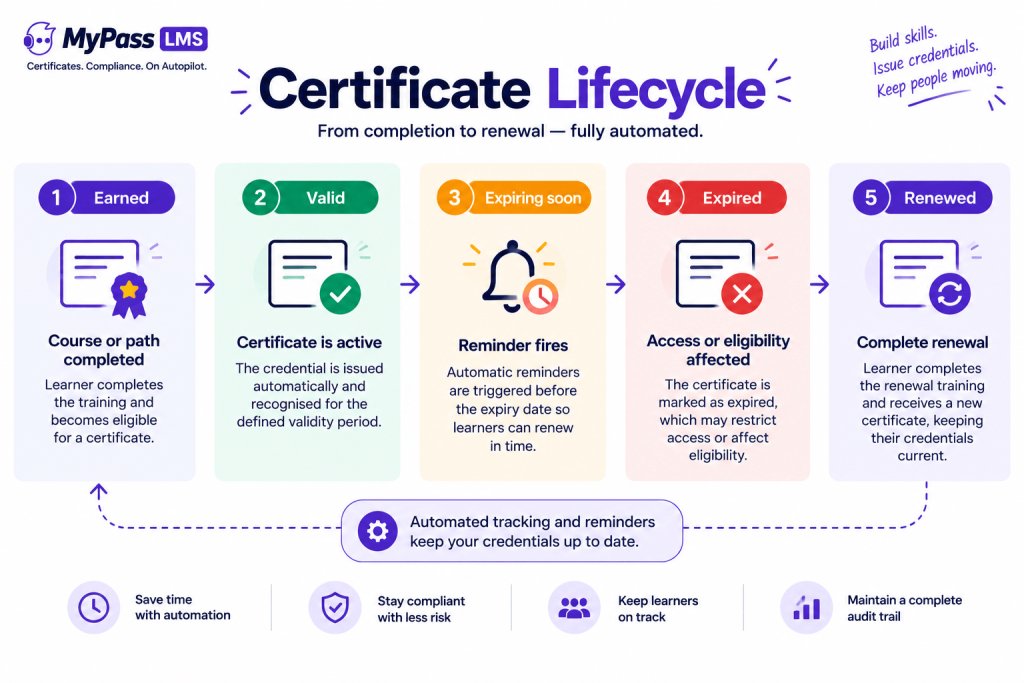
Most credentials that matter have a lifespan. Safety certifications lapse, continuing education cycles reset, and professional credentials require renewal.
When certificates are issued manually, expiry lives in somebody's spreadsheet, and the failure mode is silent. Nobody notices a lapse until an audit, an incident, or the moment a contractor is turned away at a site gate. By then the person has been working without a valid credential for weeks or months, and that period is documented.
Automated certificate management tracks the full lifecycle, from earned through valid, expiring, expired and renewed, and triggers reassignment before the lapse rather than reporting it afterwards. That single behaviour is usually worth more than every design feature in a certificate builder combined.
What makes a certificate credible
If your certificates carry weight outside your organization, a few design and data decisions matter:
- A unique identifier per certificate, so a specific credential can be referenced and checked rather than merely looked at.
- Issue and expiry dates shown clearly, since an undated certificate is not evidence of anything.
- The specific competency or course covered, rather than a vague title, so an employer can tell what was actually assessed.
- Verifiability. A PDF is trivially editable. If third parties rely on your credential, they need a way to confirm it against your record rather than trusting the artefact.
- Consistent branding, which is a trust signal as much as a design preference.
Key point
A useful question for any credential you issue: if an employer received this certificate from a stranger, could they confirm it is genuine? If the answer is no, you are issuing a document rather than a credential.
How it works in MyPass LMS
- Design branded certificate templates once, and apply them across courses, learning paths or certification programmes.
- Issue automatically on completion of a course or a full learning path, populated from the completion record.
- Attach expiry rules and continuing education credit values where relevant.
- Track the credential lifecycle, with renewal reassignment triggered before expiry.
- Feed the same audit and compliance reporting as every other record, so certificates issued and certificates expiring are both reportable.
Because issuance sits inside the platform, the certificate and the underlying evidence stay connected. A certificate that exists only as a PDF in someone's inbox is disconnected from the record that justifies it, which is exactly the situation you do not want when the credential is questioned.
The bottom line
Certificates are worth automating not because designing them is hard, but because issuing, dating and expiring them by hand does not scale and fails silently. Design the template once, issue automatically from the completion record, attach expiry rules, and let renewal trigger before the lapse rather than after. Then make sure the credential carries a unique identifier, clear dates and a way to verify it, because a certificate nobody can check is a document rather than a credential.
See the platform features, read how certification programmes are built, or start a 15-day free trial.
Frequently asked questions
What is a certificate builder in an LMS?
A tool for designing branded certificate templates once and issuing them automatically when a learner completes a course, learning path or certification programme, populated from the completion record rather than filled in manually.
Can certificates be issued automatically?
Yes. Certificates can be generated and delivered on completion, with the learner's name, the course or competency, and the issue and expiry dates taken directly from the underlying record, which removes both the delay and the transcription errors of manual issuance.
How do you track certificate expiry?
Through lifecycle tracking that moves a credential from earned to valid to expiring to expired to renewed, with reminders and reassignment triggered before the expiry date. Manual expiry tracking in a spreadsheet fails silently, which is usually discovered at an audit or a site gate.
What should a training certificate include?
A unique identifier, the recipient's name, the specific course or competency covered, the issue date, the expiry date where applicable, any continuing education credit value, and consistent organizational branding. A means of verification matters when third parties rely on the credential.
Are PDF certificates verifiable?
Not on their own, since a PDF can be edited. If employers, regulators or site operators rely on your credentials, they need a way to confirm a certificate against your underlying record rather than trusting the document itself.
Keep reading

Associations & CE
Association LMS for Continuing Education: What It Must Track
Associations & CE
AI Knowledge Assistant for Association Education: Worth It?

Associations & CE