
How to Build a Compliance Training Calendar
On this page 7 sections
Short answer
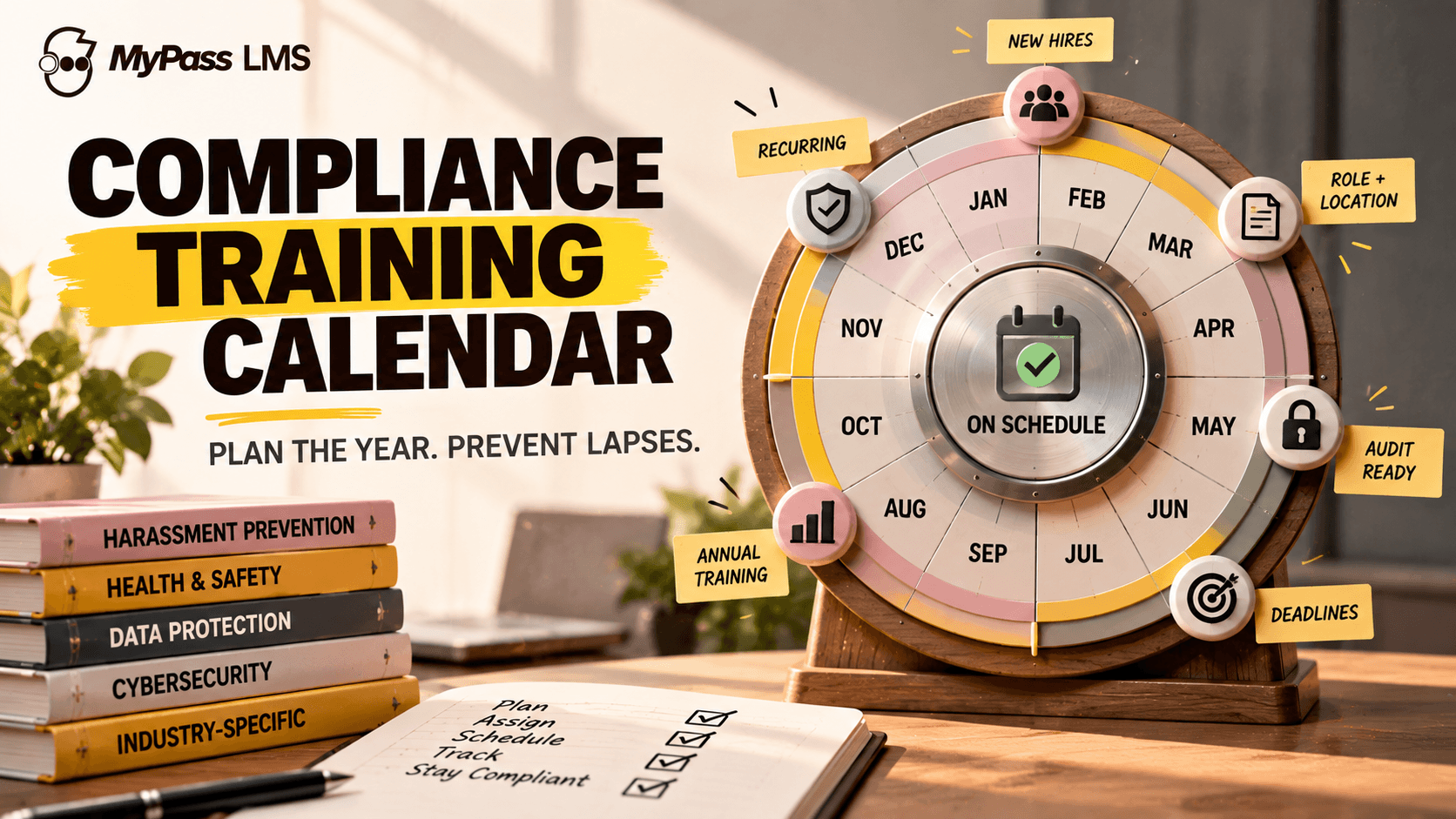
A compliance training calendar maps out which mandatory training your organization must run and when, across the year, so nothing lapses and audits do not become a scramble. Build it by listing your requirements, assigning each a frequency, scheduling by role and location, and automating recurring cycles so refreshers never slip.
Why You Need a Calendar, Not a Scramble
Most organizations handle compliance training reactively: they remember a requirement when an audit looms, then rush to get everyone trained. That scramble is stressful, error-prone, and leaves gaps where people fall out of compliance without anyone noticing. A compliance training calendar replaces the panic with a plan.
The calendar is simply a year-round map of what training is required, who needs it, and when, including the recurring refreshers that regulations demand. It turns compliance from an annual fire drill into a managed, predictable process, and it means that when an auditor asks, the answer is already documented rather than assembled at the last minute.
Key point
This article is general guidance, not legal advice. Which training your organization must run, and how often, depends on your industry, jurisdiction and workforce. Confirm your specific obligations with a qualified compliance professional or the relevant regulator.
Common Training to Plan For
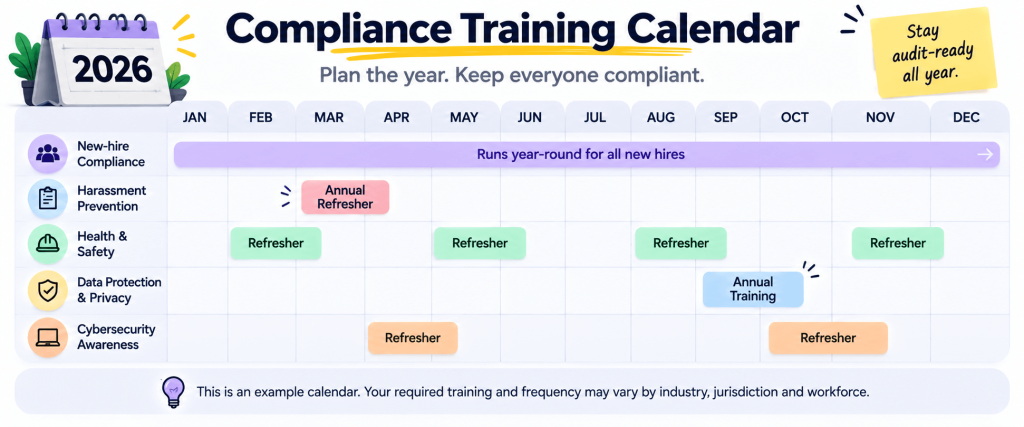
Requirements vary by industry and location, but several types of mandated or strongly recommended training appear across many organizations. Use these as a starting point, then confirm what applies to you.
- Harassment prevention: required for many employers, with rules varying by jurisdiction.
- Health and safety: hazard-specific training and refreshers, especially in physical workplaces.
- Data protection and privacy: such as GDPR-related training where it applies.
- Cybersecurity awareness: increasingly expected and sometimes required.
- Industry-specific: HIPAA in healthcare, financial-services rules, and others by sector.
- Onboarding compliance: the required training every new hire must complete on joining.
How to Build the Calendar
Building a compliance calendar is a straightforward, repeatable process. The value is in doing it deliberately rather than reactively.
- List your requirements: every training your organization must or should run, confirmed against your obligations.
- Assign a frequency to each: one-time, annual, or another recurring cycle.
- Map by role and location: not everyone needs everything; requirements often depend on job and site.
- Schedule across the year: spread training to avoid overload and align with deadlines.
- Plan for new hires: build in the compliance training that must happen on joining, year-round.
- Automate the recurring cycles: so refreshers assign themselves and nothing lapses.
Key point
The hardest part of a compliance calendar is not building it once; it is keeping it running. Dozens of individual renewal dates across a workforce are impossible to track by hand, which is why automating the recurring cycles is what actually keeps you compliant.
Keeping It From Lapsing
A calendar on a spreadsheet is a start, but it does not enforce itself. The real risk is not forgetting to plan; it is people quietly falling out of compliance as individual renewal dates pass unnoticed. Someone trained 13 months ago on annual training is now non-compliant, and a spreadsheet will not chase them.
This is where automation matters. When your learning platform assigns recurring training on schedule, chases non-completers before deadlines, and records every completion, the calendar enforces itself. You move from hoping people are current to knowing they are, with the records to prove it, which is the whole point of compliance training.
How MyPass LMS Runs Your Calendar
MyPass LMS turns a compliance calendar from a plan into an automated process. It assigns training by role and location, schedules recurring cycles so annual and periodic refreshers assign themselves, chases non-completers before deadlines, and records every completion in an immutable, audit-ready trail.
That means the calendar enforces itself rather than depending on someone remembering. When an auditor asks, you produce a filtered report in a click instead of scrambling, and because pricing is flat with unlimited registered users, running required training across an entire workforce does not add per-seat cost. Compliance becomes continuous rather than an annual panic.
Key point
Tip: build your calendar once, then let the platform run the recurring cycles. The goal is that required training happens on schedule without anyone having to remember it, and that proof is always one report away, not a last-minute assembly job.
The bottom line
A compliance training calendar replaces the pre-audit scramble with a year-round plan: what training is required, who needs it, and when, including the recurring refreshers regulations demand. Build it by listing requirements, assigning frequencies, mapping by role and location, and planning for new hires. Then automate the cycles so it enforces itself.
The calendar only works if it does not lapse, which is where automation earns its place. See how recurring cycles, role-based assignment and audit trails work in MyPass LMS features, read best LMS for compliance training, or start a free trial. This article is general guidance, not legal advice.
Frequently asked questions
What is a compliance training calendar?
A compliance training calendar is a year-round plan mapping which mandatory training your organization must run, who needs it, and when, including recurring refreshers. It replaces reactive, pre-audit scrambling with a managed schedule, so nothing lapses and proof of completion is always available. It typically covers harassment, safety, data protection, security and industry-specific training, planned by role and location.
What training is legally required for employees?
It varies by industry and jurisdiction, so specific requirements must be confirmed with a qualified professional or regulator. Commonly mandated or strongly recommended training includes harassment prevention, health and safety, data protection such as GDPR where it applies, cybersecurity awareness, and industry-specific requirements like HIPAA in healthcare. New-hire compliance training is also typically required on joining. This is general guidance, not legal advice.
How often does compliance training need to be repeated?
It depends on the requirement, but much compliance training is annual or on another recurring cycle rather than one-time, because skills fade and rules change. The practical challenge is tracking many individual renewal dates across a workforce, which is why automating recurring assignment is essential. Confirm specific frequencies for your obligations with the relevant regulator; they vary by jurisdiction and industry.
How do you stop compliance training from lapsing?
Automate the recurring cycles. A spreadsheet calendar does not enforce itself, and people quietly fall out of compliance as individual renewal dates pass. When your learning platform assigns recurring training on schedule, chases non-completers before deadlines, and records every completion, the calendar enforces itself. You move from hoping people are current to knowing they are, with audit-ready records to prove it.
Keep reading
Compliance training
Why Employees Ignore Compliance Training, and How to Fix It
Compliance training
Best LMS for Compliance Training in 2026 (9 Platforms Compared)
Compliance training
Free HIPAA Compliance Training: What to Cover and How to Track It
L&D strategy