
Best LMS for Manufacturing in 2026
On this page 7 sections
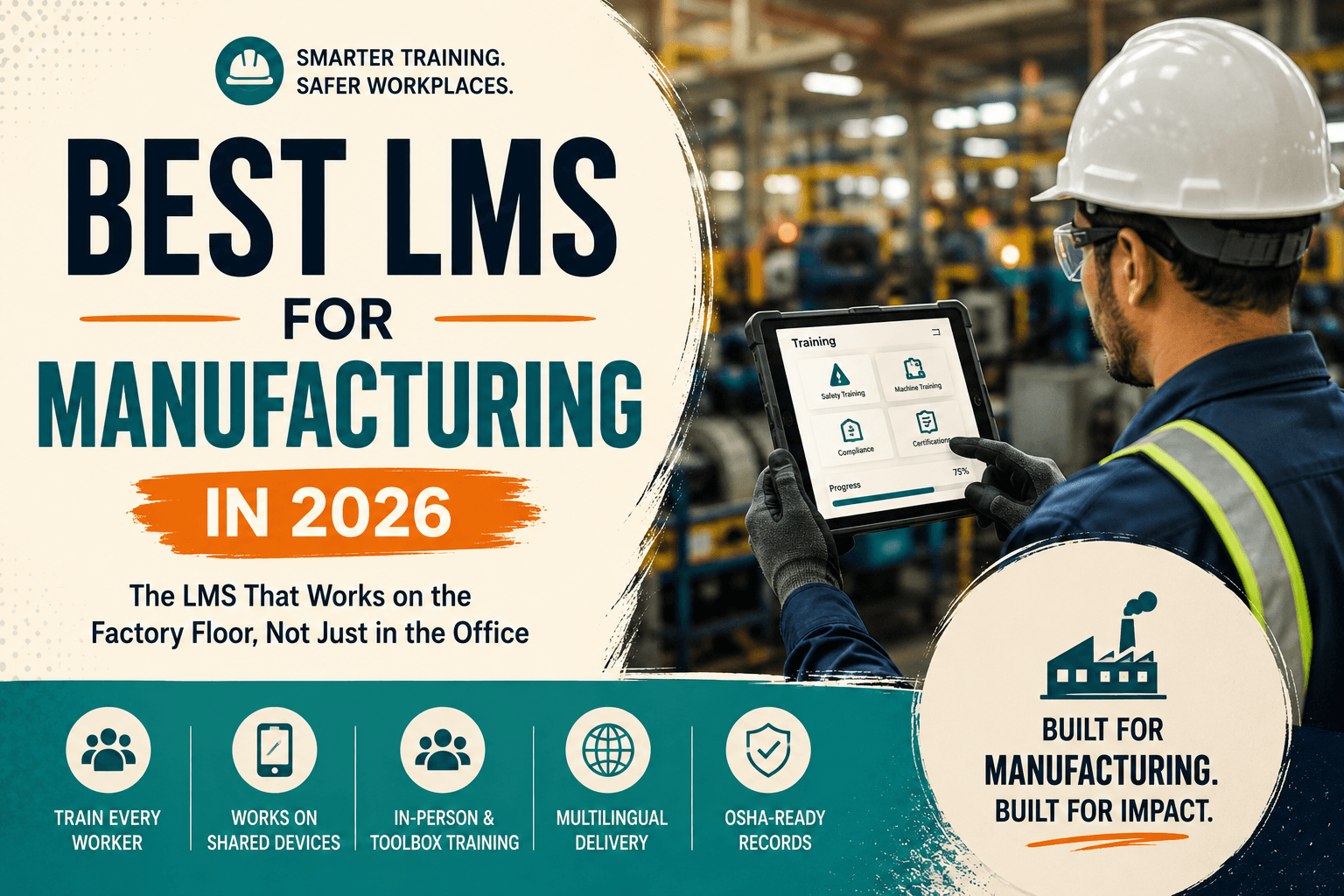
The best LMS for manufacturing solves problems most platforms ignore: workers without individual desks or company email, training delivered in person on the floor, multilingual frontline teams, and safety records that must survive an inspection. Prioritise shared-device access, in-person attendance capture and unlimited users over course catalogue size.
Manufacturing breaks most LMS assumptions
Most learning platforms are designed around an office worker: one person, one laptop, one email address, learning at a desk. On a factory floor almost none of that holds. Workers may share a terminal, may not have a company email address, work across shifts that never overlap, and receive much of their most important training standing next to a machine rather than sitting at a screen.
So evaluating an LMS for manufacturing is less about features and more about whether the platform can function in that environment at all. Here is what actually matters and how the main options compare.
Key point
This article is general guidance rather than regulatory advice. Safety training obligations vary by jurisdiction, site and hazard profile, so confirm your specific requirements with your EHS lead or qualified counsel.
What manufacturing actually needs from an LMS
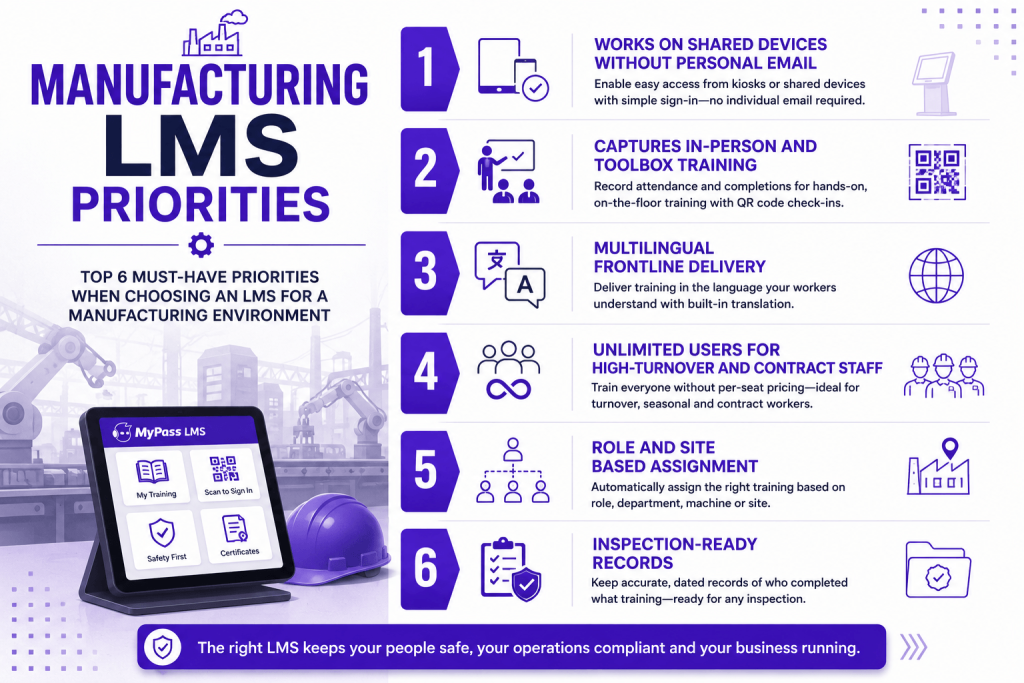
- Access without personal email or a dedicated device. If enrolment assumes a company email address per learner, a large part of your workforce cannot be enrolled. Shared kiosk access and simple sign-in matter more than a polished desktop experience.
- In-person training capture. Toolbox talks, machine-specific briefings and competency checks happen on the floor. If the platform only records online modules, half your training programme stays on paper. QR code attendance capture is the practical answer here.
- Multilingual delivery. Frontline manufacturing workforces are frequently multilingual, and safety training understood imperfectly is a safety problem, not just a comprehension one. Built-in translation removes the usual cost barrier.
- Unlimited users. Turnover is high, contract and agency staff cycle through, and per-seat pricing penalises exactly the thorough coverage inspectors expect.
- Role and site based assignment. Requirements differ by machine, department, hazard exposure and site. Rules should assign automatically rather than someone maintaining lists.
- Inspection-ready records. Dated, retrievable evidence that a specific worker completed specific training before operating specific equipment.
How the options compare
An honest read on where each type fits. [Positioning reflects general 2026 market observation; confirm current capability with vendors directly.]
- Docebo and Absorb LMS. Strong enterprise platforms with good compliance and analytics capability, well suited to large manufacturers with procurement teams and budget. Both are quote-based, and advanced reporting often sits in higher tiers, so confirm inclusions. Neither is especially oriented toward shared-device frontline access.
- Moodle. Free to self-host and endlessly customisable, and some manufacturers run it successfully. It expects genuine technical capacity, and the out-of-the-box experience is not designed for frontline shared-device use, so expect configuration work.
- Frontline-specific platforms. Several mobile-first tools target deskless workers well, but often handle formal certification, SCORM content and audit reporting less thoroughly than a full LMS, which matters when an inspector arrives.
- MyPass LMS. Unlimited registered users on every plan, in-person attendance capture through QR codes, built-in translation across more than 120 languages, role and site based automatic assignment, and audit-ready reporting included rather than tiered.
Key point
The evaluation question specific to manufacturing: ask each vendor to show how a worker with no company email address, using a shared terminal on second shift, gets enrolled, completes training, and appears in a compliance report. Many polished demos quietly assume this problem away.
The paper problem that undermines good programmes
Manufacturers often run genuinely thorough safety training and still struggle at inspection, for one recurring reason: the most important training happens in person, and the evidence is a signed sheet.
Toolbox talks, pre-shift briefings, machine-specific instruction and competency sign-offs are the training most directly tied to preventing injury, and they are precisely the training least likely to be captured in a system. The sheet gets signed, then transcribed late, or filed, or lost.
Closing that gap is usually the single highest-value change a manufacturer can make, and it is not about better courses. It is about capturing the training you already deliver so it exists as a record at the moment it happens rather than weeks later. Manufacturing training challenges tend to cluster around this point more than around content quality.
Where MyPass LMS fits, and where it does not
MyPass LMS suits manufacturers that need one system covering both online modules and floor-level in-person training, across a multilingual and high-turnover workforce, with records that hold up to inspection. Unlimited registered users matters specifically because contract, agency and seasonal staff must be trained and counted without raising the bill.
Where it is not the obvious pick: if your requirement is overwhelmingly mobile microlearning for deskless staff with no formal certification or SCORM component, a frontline-specific tool may fit that narrower job more neatly. And if you need deep integration with a specific MES or maintenance system, scope that carefully with any vendor rather than assuming.
The bottom line
The best LMS for manufacturing is the one that works in a factory rather than an office: shared-device access without personal email, in-person training captured at the moment it happens, multilingual delivery for frontline teams, unlimited users so contract and seasonal staff are covered, and records an inspector can be shown immediately. Test every shortlisted vendor with the second-shift worker scenario, because that is where most platforms quietly fail.
MyPass LMS covers online and in-person training in one record, with QR attendance capture, translation across 120-plus languages and unlimited users. See the manufacturing industry page, browse safety courses, or start a free trial.
Frequently asked questions
What is the best LMS for manufacturing?
The best manufacturing LMS handles shared-device access without personal email, captures in-person floor training, supports multilingual delivery, includes unlimited users for high-turnover and contract staff, and produces inspection-ready records. Enterprise platforms suit large manufacturers with budget, while MyPass LMS includes these capabilities on every plan.
How do you train factory workers who don't have company email?
Look for platforms supporting shared-device or kiosk access with simple sign-in rather than requiring an individual email address per learner. This is one of the most common places general-purpose LMS platforms fail in a manufacturing environment, so test it during evaluation.
How do you track toolbox talks and in-person safety training?
Capture attendance digitally at the moment of the session rather than on paper. QR code check-in records who attended and when, directly into each worker's training record, removing the transcription gap where paper sheets are typed up late or lost.
Does manufacturing training need to be multilingual?
Frequently yes. Frontline manufacturing workforces are often multilingual, and safety training that is only partially understood is a safety risk rather than just a comprehension issue. Built-in translation removes the traditional cost barrier to delivering it properly.
Why does unlimited-user pricing matter in manufacturing?
Because turnover is high and contract, agency and seasonal workers cycle through constantly. Per-seat pricing means the thorough coverage inspectors expect raises your software bill, penalising exactly the behaviour safety compliance requires.
Keep reading
Choosing an LMS
Best LMS for Government and Public Sector Organizations
Choosing an LMS
Best LMS for Logistics and Transportation: A Buyer's Guide
Choosing an LMS
Best LMS for Hospitality: Hotels, Restaurants and Beyond
Choosing an LMS