
Free LMS for Nonprofits and Small Teams
On this page 7 sections
Short answer
Nonprofits and small teams need an LMS that trains staff and volunteers without per-seat costs that punish a growing base. The realistic free options are capped free tiers, open-source software, and open-core editions. The best fit avoids user caps, keeps total cost low including staff time, and offers a clean path to grow.
Why Free Matters More for Nonprofits and Small Teams
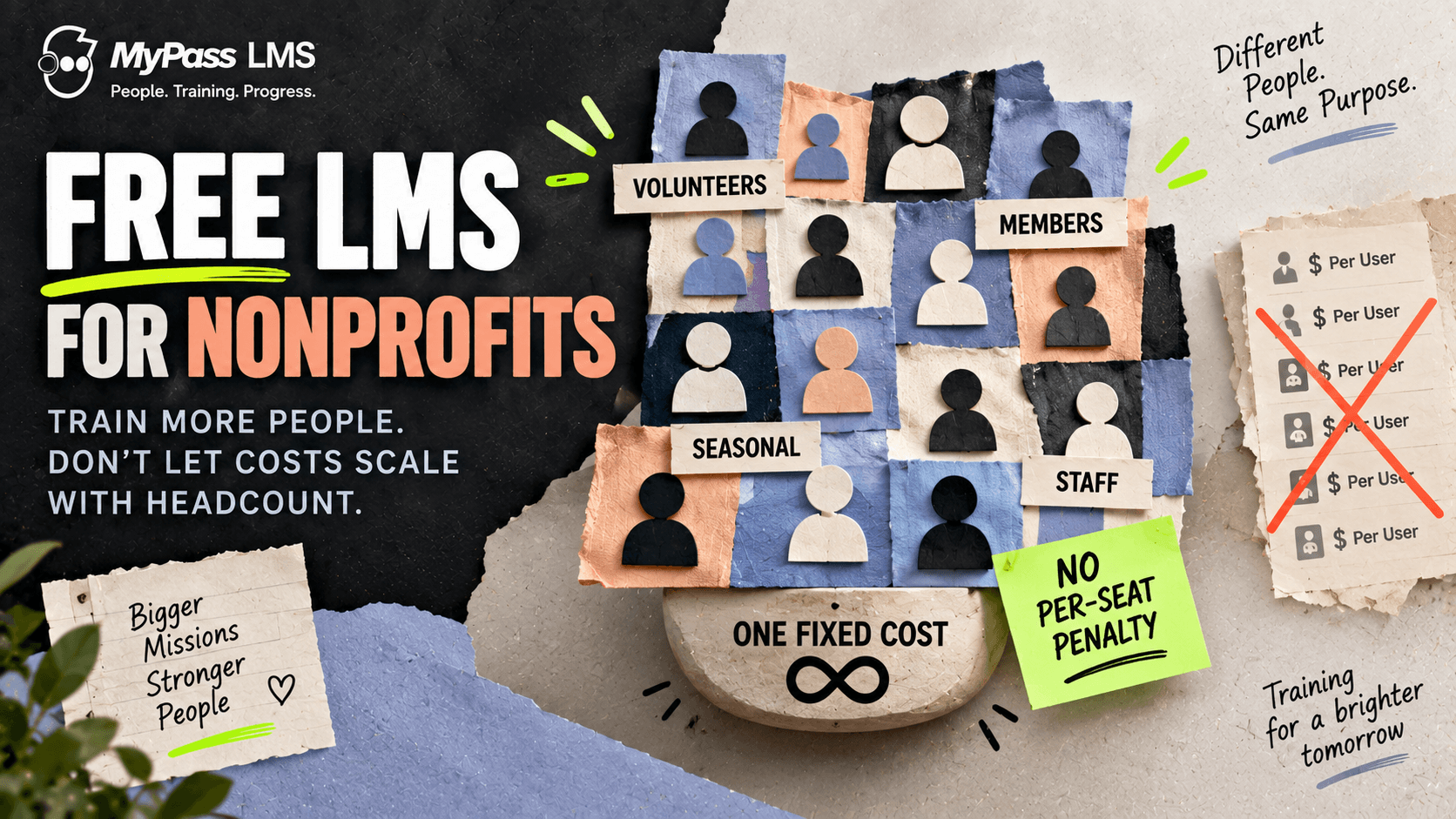
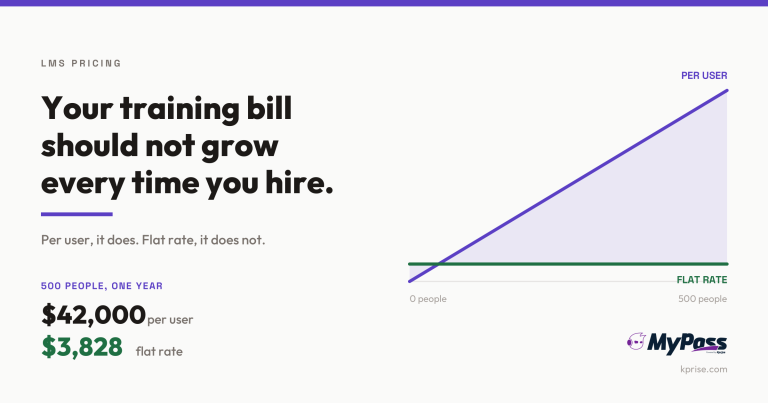
Nonprofits and small teams face a specific version of the training problem: they often have large audiences, staff, volunteers, members, but small budgets, and no room for a bill that grows every time they add a person. A per-seat LMS is especially punishing here, because it charges for every volunteer and seasonal helper, many of whom log in rarely.
That makes the pricing model the first thing to check, not the feature list. A free or low-cost LMS is only genuinely affordable if it does not quietly become expensive as your volunteer base or membership grows. The goal is training that scales with your people without scaling your costs.
Key point
The specific trap for nonprofits: per-seat pricing. A large volunteer base means a large bill on a per-user LMS, even though most volunteers log in occasionally. Look for pricing that does not charge for every registered person.
The Free Options, and Their Catches
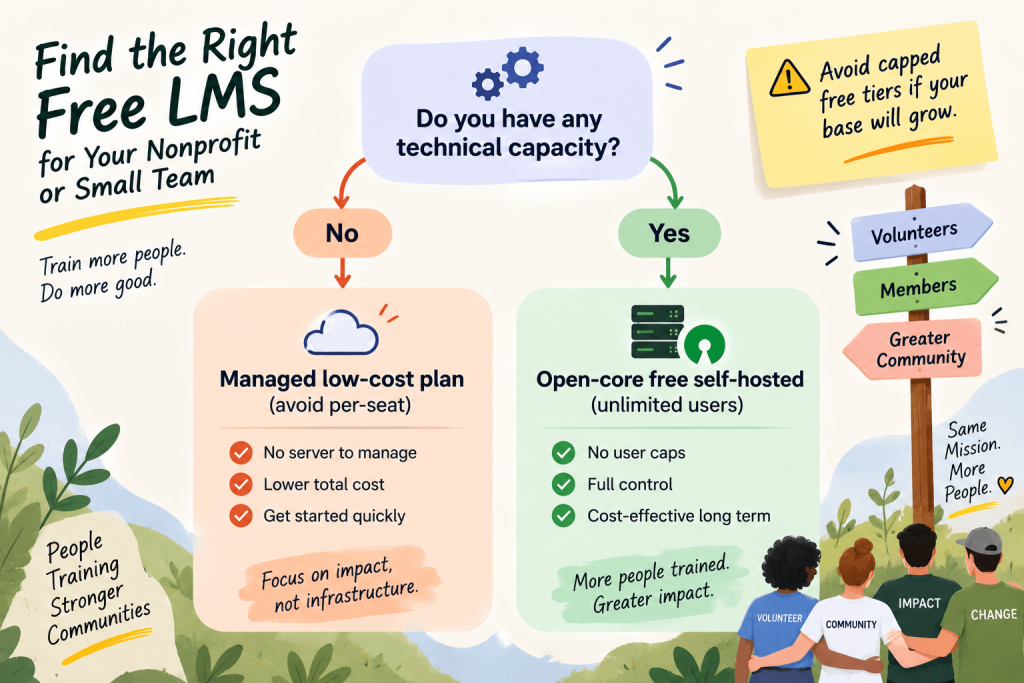
The realistic free routes are the same three as any free LMS, but the catches land differently for a budget-constrained organization.
| Option | The catch for a small team or nonprofit |
| Capped free tier | User caps hit fast when you add volunteers or members |
| Open-source | Free of license fee, but needs technical staff you may not have |
| Open-core | Free self-hosted core; needs some technical capacity but no user cap |
What to Prioritise
For a nonprofit or small team, the priorities are different from an enterprise. Weight these heavily.
- No per-seat cost: pricing that does not charge for every volunteer or member.
- Low total cost: including staff time, not just the license fee.
- Ease of use: a lean team cannot maintain a complex platform.
- Room to grow: a clean path from free to paid without replatforming.
- The essentials only: courses, tracking, certificates and compliance, without paying for enterprise features you will not use.
Key point
A useful reframe: the cheapest LMS is not always the one with the lowest sticker price. For a lean team, an option that needs constant technical maintenance can cost more in staff time than a modest managed fee. Count total cost.
Training Volunteers and Occasional Users
Nonprofits especially train people who are not on the payroll and log in occasionally, volunteers, members, seasonal staff. This is exactly where per-seat pricing does the most damage and where the right model saves the most. Training this audience well means onboarding them quickly, tracking required training such as safeguarding or compliance, and doing it without a bill that scales with headcount.
The practical need is unlimited registered users: the ability to register your whole volunteer base and only pay based on how many are active at once, not how many exist. That turns a large, fluctuating audience from a cost problem into a non-issue.
How MyPass Community Edition and MyPass LMS Fit
MyPass LMS is well suited to this audience on both the free and low-cost paths. MyPass Community Edition is a free, self-hosted edition with unlimited registered users, so a nonprofit with some technical capacity can train an entire volunteer base at zero license cost, with no per-seat penalty. You handle hosting, the honest trade-off of self-hosting.
If you would rather not run a server, managed hosting starts at 99 dollars a month, still with unlimited registered users, so a large volunteer or member base does not inflate the cost, and verified nonprofits get an extended trial. Either way, the per-seat trap that makes most LMS options expensive for nonprofits simply does not apply, and moving from the free edition to managed hosting later is a migration, not a rebuild.
Key point
For a nonprofit weighing free versus low-cost: if you have technical capacity, the free self-hosted Community Edition gives unlimited users at zero license cost. If you do not, managed hosting with unlimited users avoids the per-seat bill while removing the maintenance burden.
The bottom line
Nonprofits and small teams need training that scales with their people, not their budget. The pricing model matters more than the feature list, because per-seat costs punish a large volunteer or member base. The realistic free options are capped tiers, open-source and open-core, and the best fit avoids user caps and keeps total cost low, including staff time.
For unlimited users without a per-seat bill, on either a free self-hosted or a low-cost managed path, see best LMS for nonprofits, learn why MyPass LMS does not charge per seat, or download the Community Edition.
Frequently asked questions
What is the best free LMS for a nonprofit?
The best fit is one that avoids per-seat costs, since nonprofits often have large volunteer or member bases. The realistic free options are capped free tiers (which hit user limits fast), open-source (free of license fee but needs technical staff), and open-core (a free self-hosted core with unlimited users). Prioritise no per-seat cost, low total cost including staff time, and room to grow.
Why is per-seat pricing a problem for nonprofits?
Because nonprofits often train large numbers of volunteers, members and seasonal staff who log in only occasionally, yet per-seat pricing charges for every registered person regardless of activity. This produces a large bill for an organization with a small budget. Pricing based on simultaneous logins or unlimited registered users avoids charging for every occasional volunteer, which fits a nonprofit's audience far better.
Can a small team run a free LMS without technical staff?
It depends on the type. Open-source and self-hosted options need technical capacity to install and maintain, which many small teams lack. A capped free tier needs no technical staff but limits users. For a small team without technical capacity, a low-cost managed option that avoids per-seat pricing is often cheaper overall than the staff time a self-hosted free option would require.
How do you train volunteers affordably?
Use an LMS that does not charge per seat, so registering a large, fluctuating volunteer base does not inflate the cost. Onboard volunteers quickly with role-based paths, track required training such as safeguarding or compliance, and choose pricing based on active or simultaneous users rather than total headcount. Unlimited registered users is the key feature that makes training an occasional-user audience affordable.
Keep reading
Choosing an LMS
Best LMS for Nonprofits in 2026
Choosing an LMS
Best LMS for Small Business in 2026

Choosing an LMS
Learning Management System For Nonprofits: A Complete Guide
Choosing an LMS