
Why Choose an Open-Core LMS Over Open Source in 2027
On this page 12 sections
- What's the Difference Between an Open-Core and an Open-Source LMS?
- What's Changing for Open-Source LMS Users in 2027?
- Why Is an Open-Core LMS Better for Most Teams in 2027?
- What Does Self-Hosting an Open-Source LMS Really Cost?
- Who Does the Work: Open Source vs Open Core?
- When Is an Open-Source LMS Still the Better Choice?
- How Do You Switch From an Open-Source LMS to Open Core?
- Why Choose MyPass LMS as Your Open-Core LMS?
- Where This Comes From
- The bottom line
- Frequently asked questions
- Sources
For most training teams, an open-core LMS is the better choice in 2027 because it keeps the free start of open source while a vendor maintains, secures and upgrades the core. Open source still suits teams with in-house developers who want full control. Everyone else pays for that control in staff time, upgrades and security work.
What's the Difference Between an Open-Core and an Open-Source LMS?
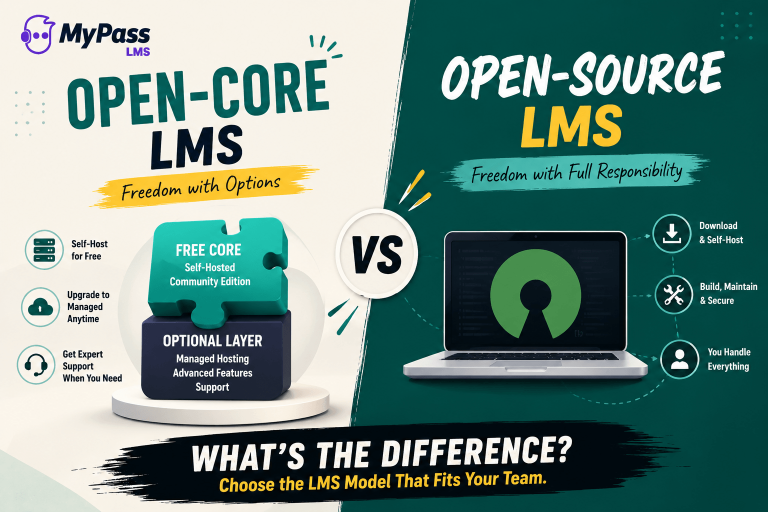
An open-source LMS gives you all the code for free and leaves running, securing and upgrading it to you or a partner you hire. An open-core LMS gives you a free core too, but a company maintains it and offers optional paid extras, such as managed hosting, that you can opt in to when you need them.
The difference isn't about price on day one. Both can be free to start. It's about who does the work after that.
| Open-source LMS (for example, Moodle) | Open-core LMS (for example, MyPass LMS) | |
| Free to start | Yes | Yes, the core |
| Who maintains the code | A community and the project's lead organization | The vendor |
| Who upgrades your site | You, or a partner you pay | You on the free core, or the vendor if you opt in to hosting |
| Paid options | Hosting, support and development from partners | Managed hosting and the full feature set from the vendor |
| Who you call when it breaks | Your team, a partner or community forums | The vendor, on a paid plan |
For the background, see open-core LMS vs open-source LMS. This guide focuses on the decision for 2027.
What's Changing for Open-Source LMS Users in 2027?
2027 brings hard deadlines for anyone self-hosting. Moodle 4.5, the older of its two current long-term support releases, loses security support on 4 October 2027. Recent Moodle versions also changed server requirements and folder structure, and US public entities face an accessibility deadline in April 2027.
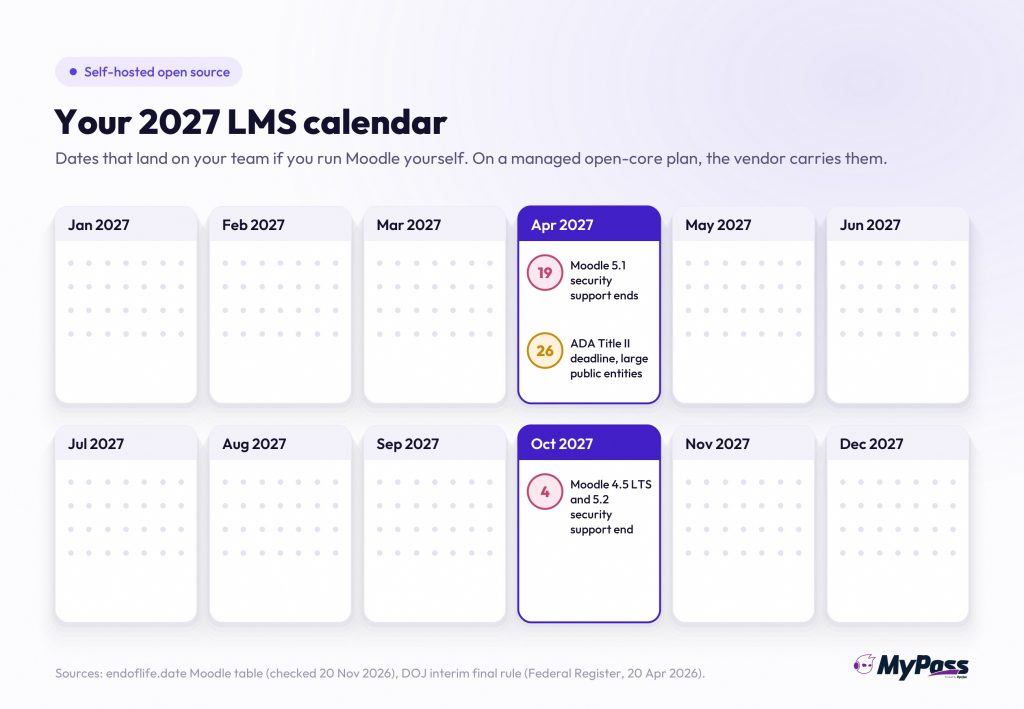
| Date | What happens | Who it affects |
| 19 April 2027 | Security support ends for Moodle 5.1 | Sites still on 5.1 |
| 26 April 2027 | ADA Title II web accessibility compliance date (WCAG 2.1 AA) for public entities with 50,000 or more people | US state and local government bodies, including public colleges |
| 4 October 2027 | Security support ends for Moodle 4.5 LTS and Moodle 5.2 | Sites on either version, which must move to 5.3 LTS or later |
Here's what sits behind those dates.
- Two releases a year to keep up with. Moodle ships a major version roughly every April and October, and each one has a fixed support window.
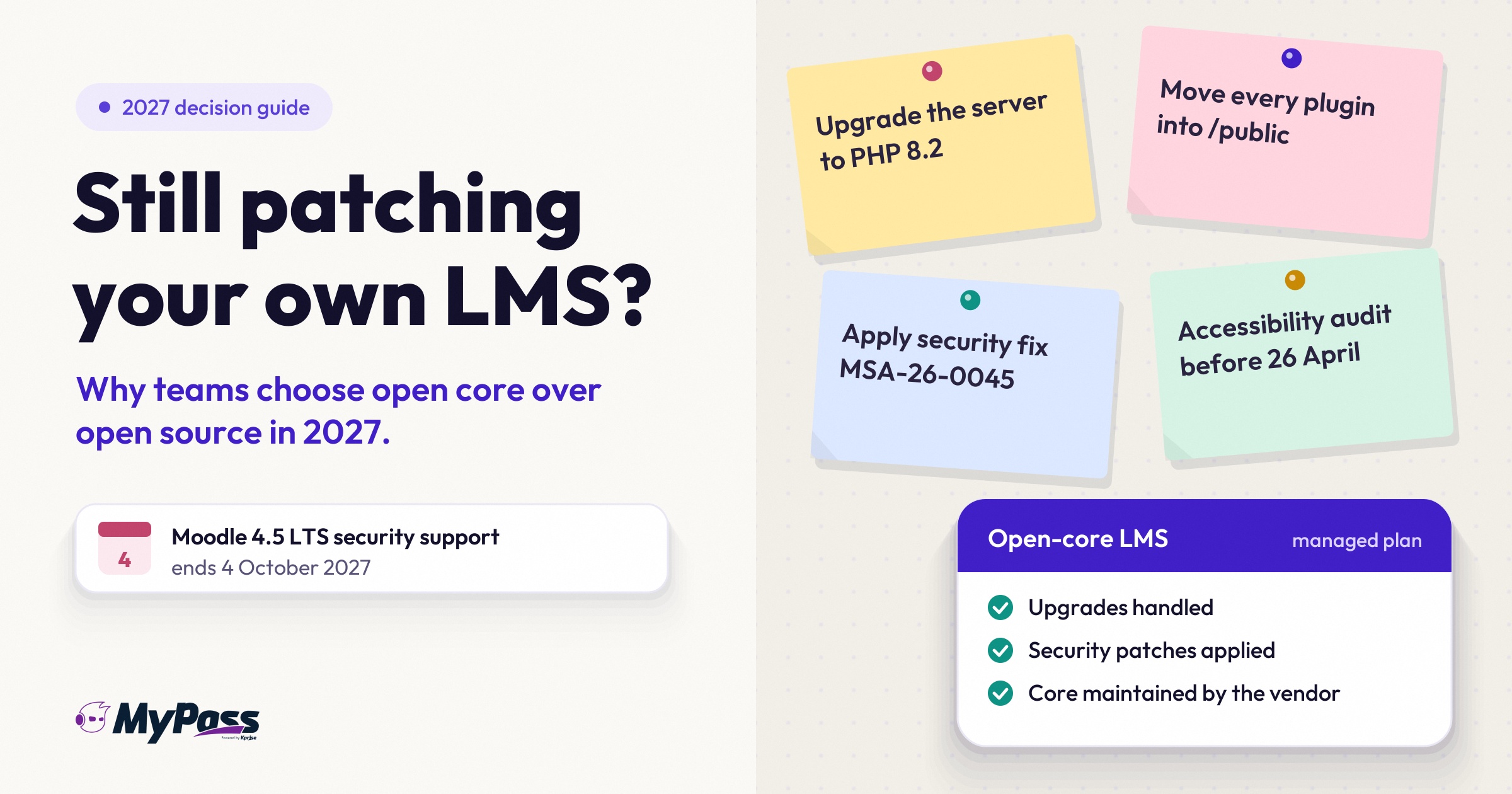
- A big structural change on the way up. Moodle 5.1 added a new /public directory. Your web server has to point to it, and plugins installed before the upgrade have to be moved by hand.
- Higher server requirements. Moodle 5.1 needs PHP 8.2 or newer and PostgreSQL 15 or newer. An older server may need its own upgrade first.
- A steady stream of security fixes. By November 2026, Moodle's security advisories for the year had reached MSA-26-0045. Each one is a patch someone on a self-hosted site has to apply.
Key point
None of this means Moodle is badly run. Regular releases and published security advisories are signs of a healthy project. The point is that on a self-hosted site, every one of them lands on your team's calendar.
Why Is an Open-Core LMS Better for Most Teams in 2027?
Because it moves the hardest work, maintenance, security and upgrades, to a vendor who's accountable for it, while keeping the free start that made open source attractive. For training teams without spare developers, that means less risk, more predictable costs and more time spent on training instead of servers.
1. Someone is accountable for the core. A vendor maintains, tests and secures the code. Tidelift's 2024 survey found 60 percent of open-source maintainers are unpaid, and paid maintainers were on average 55 percent more likely to follow critical security practices.
2. Upgrades stop being projects. On a managed open-core plan, the vendor handles version upgrades. On self-hosted open source, every major release is a project you plan, test and run.
3. Security patching isn't your weekend job. On managed hosting, patches are applied for you. On self-hosted open source, you track advisories and apply them yourself.
4. Fewer plugins to babysit. Open-source LMS sites often rely on third-party plugins that each need to support the next version. An open-core LMS that includes features in the core leaves fewer pieces to break on upgrade day.
5. You still start free. The core costs nothing, so you can run real training before spending anything.
6. You opt in only when it's worth it. Paid hosting and extra features are optional, and on a well-built open-core LMS, opting in keeps you on the same platform.
7. One place to get help. When something breaks, there's a vendor to contact instead of a forum thread.
What Does Self-Hosting an Open-Source LMS Really Cost?
The software is free, but running it isn't. The real cost of a self-hosted open-source LMS is mostly staff time: server management, two major upgrades a year, security patches, plugin testing, backups and accessibility checks. Add those hours to your hosting bill before comparing it with an open-core plan.
Use this as a worksheet. Fill in your own hours and rates.
| Cost line | Self-hosted open source | Open core, managed hosting |
| Software license | Free | Free core, paid plan if you opt in |
| Server and hosting | You pay a host and manage the server | Included in the plan |
| Major upgrades (about two a year for Moodle) | Your staff time to plan, test and run | Handled by the vendor |
| Security patches | Your staff time to track and apply | Handled by the vendor |
| Plugin compatibility testing | Your staff time on every upgrade | Fewer third-party plugins to test |
| Backups and disaster recovery | You set it up and test it | Check what the plan includes |
| Accessibility of customizations | Your responsibility | Shared: vendor for the core, you for your content |
| Support | Partner contract or community forums | Vendor support |
Don't forget the user count either. Hosted open source isn't always unlimited. MoodleCloud's standard plans, for example, are priced by number of users, starting at 50. If your audience grows, so does that bill. See self-hosted vs managed LMS hosting for more on the hosting decision.
Who Does the Work: Open Source vs Open Core?
On self-hosted open source, almost every operational task is yours. On an open-core LMS, the vendor maintains the core even if you host it yourself, and if you opt in to managed hosting, the vendor runs it too. Your team keeps ownership of courses, learners and content in every case.
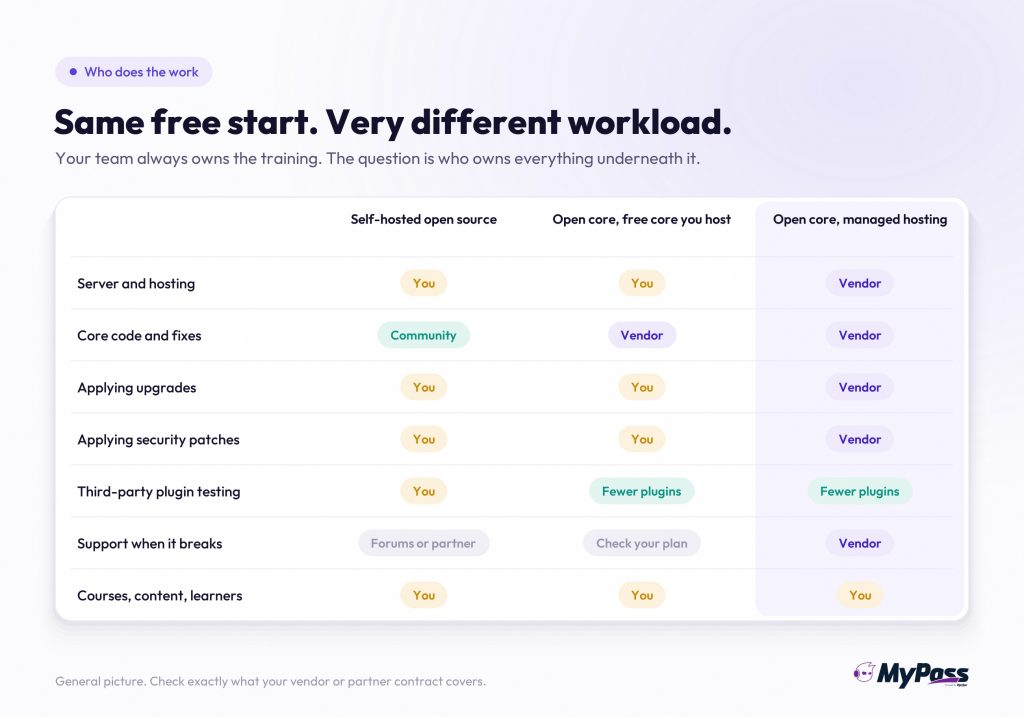
Whichever model you choose, your team still owns the training itself: courses, content accessibility, learner support and reporting. The question is how much infrastructure work you want on top of that.
When Is an Open-Source LMS Still the Better Choice?
Open source is still the better choice if you have developers who want to change the code, need full control over every part of the system, or are deeply invested in a large plugin ecosystem. Universities with experienced Moodle teams are a good example. For them, the work is a known cost, not a surprise.
- You have in-house developers. If your team can manage servers, upgrades and code changes, open source gives you full control.
- You need deep customization. If you plan to modify the core itself, open source lets you do that without asking anyone.
- You rely on a large plugin ecosystem. Moodle has a huge community and plugin directory, which open-core products may not match for niche needs.
- You have a trusted partner already. A good hosting partner can take much of the operational load off your team.
- You want no dependency on a single vendor. With pure open source, the community can carry on even if one company changes direction.
If several of these describe you, staying on open source may be right. If none do, you're likely paying for control you don't use.
How Do You Switch From an Open-Source LMS to Open Core?
Plan it around your support calendar. If your site is on Moodle 4.5 or 5.2, you need to act before 4 October 2027 either way, so compare an upgrade to 5.3 LTS with a move to open core. Export your users, courses and records, pilot with one program, then move the rest.
1. Check your version and deadline. Find your exact version and its end of security support date.
2. Price the upgrade honestly. Estimate the hours to move to the next LTS, including the /public change, server requirements and plugin testing.
3. Inventory what you'd move. Users, courses, SCORM packages, completion records and certificates.
4. Pilot one program. Run a real course on the open-core LMS with real learners before committing.
5. Move in phases. Migrate active programs first, archive old records, and keep the old site read-only until audits are covered.
Our guide to LMS migration covers each step in detail.
Why Choose MyPass LMS as Your Open-Core LMS?
MyPass LMS is an open-core LMS with a free Community Edition, unlimited registered users on every plan, and optional managed hosting on the same platform. You can start free, run real training, and opt in to hosting and the full feature set only when you need them.
- Free Community Edition. Live since 1 October 2026, free to self-host, with the core LMS features. You don't need technical knowledge to use it. Read why we made our LMS free.
- Unlimited registered users on every plan. Including the free one. Paid plans are sized by simultaneous logins, not by how many people have accounts.
- Opt-in managed hosting. Shared Hosting is $99 a month ($79 a month billed annually) for up to 50 simultaneous logins. Private Hosting is $319 a month ($249 a month billed annually) for up to 1,000. Enterprise is priced to your requirements.
- Same platform when you grow. Moving from the Community Edition to a managed plan is a data migration, not a switch to a new system.
- Features built in. Paid plans include all features, such as the AI course builder, built-in SCORM authoring, learning paths, and certificates with expiry tracking. Continuing education tracking is in the paid plans only, not the free edition.
See how MyPass LMS pricing works for the full breakdown.
Where This Comes From
Moodle release and support dates come from endoflife.date's Moodle table, checked 20 November 2026, and the Moodle 5.1 release notes on moodledev.io.
The security advisory figure comes from Moodle's security announcements page in November 2026.
The ADA Title II dates come from the Department of Justice interim final rule published in the Federal Register on 20 April 2026.
Maintainer figures come from Tidelift's 2024 State of the Open Source Maintainer Report. MoodleCloud plan details come from moodlecloud.com, checked 20 November 2026.
MyPass LMS pricing and Community Edition facts come from kprise.com/pricing and our own product documentation. This article isn't legal advice on accessibility compliance.
The bottom line
Open source made it possible to run an LMS without a license fee, and that's still valuable. But in 2027, the bigger cost for most teams isn't the license. It's the upgrades, patches and plugin work that come with running the system yourself, on a calendar you don't control.
An open-core LMS keeps the free start and hands the hardest work to a vendor who's accountable for it. You opt in to more only when it's worth paying for.
If your site's support deadline falls in 2027, use it as a decision point rather than an automatic upgrade. Price the upgrade, pilot an open-core LMS with one program, and choose with real numbers.
Frequently asked questions
Is an open-core LMS free?
The core is free. You pay only if you opt in to extras such as managed hosting or the full feature set.
When does Moodle 4.5 lose support?
Moodle 4.5 LTS security support ends on 4 October 2027, according to Moodle's published release schedule.
Is open source more secure than open core?
Neither is automatically more secure. What matters is how quickly patches are applied. On self-hosted open source, that's your team's job.
Can I move from Moodle to MyPass LMS?
Yes. Plan a phased migration of users, courses, SCORM packages and records, and pilot one program first.
Sources
- endoflife.date, Moodle release and support table, checked 20 November 2026: 4.5 LTS security support ends 4 October 2027, 5.1 security support ends 19 April 2027, 5.2 security support ends 4 October 2027, 5.3 LTS released 5 October 2026.
- Moodle Developer Resources, Moodle 5.1 release notes: released 6 October 2025, PHP 8.2 minimum, PostgreSQL 15 minimum, new /public directory that requires web server reconfiguration and manual plugin moves.
- Moodle security announcements page, November 2026: advisories numbered up to MSA-26-0045 for 2026.
- US Department of Justice, interim final rule, Federal Register, 20 April 2026: ADA Title II web accessibility compliance moved to 26 April 2027 for public entities with 50,000 or more people and 26 April 2028 for smaller ones. Standard remains WCAG 2.1 AA.
- Tidelift, 2024 State of the Open Source Maintainer Report, via Business Wire, 17 September 2024: 60 percent of maintainers unpaid; paid maintainers on average 55 percent more likely to implement critical security and maintenance practices.
- MoodleCloud Standard plans page, checked 20 November 2026: plans priced by user count, from 50 users.
- MyPass LMS pricing and Community Edition facts: kprise.com/pricing and the Kprise product brief.
Keep reading
Choosing an LMS
Open-Core LMS vs Open-Source LMS: What's the Difference?
Choosing an LMS
Open edX Alternatives: 7 Options Worth Comparing
Choosing an LMS
How to Choose a Free LMS Without Regret
Choosing an LMS