
LMS Integrations Explained
On this page 7 sections
Short answer
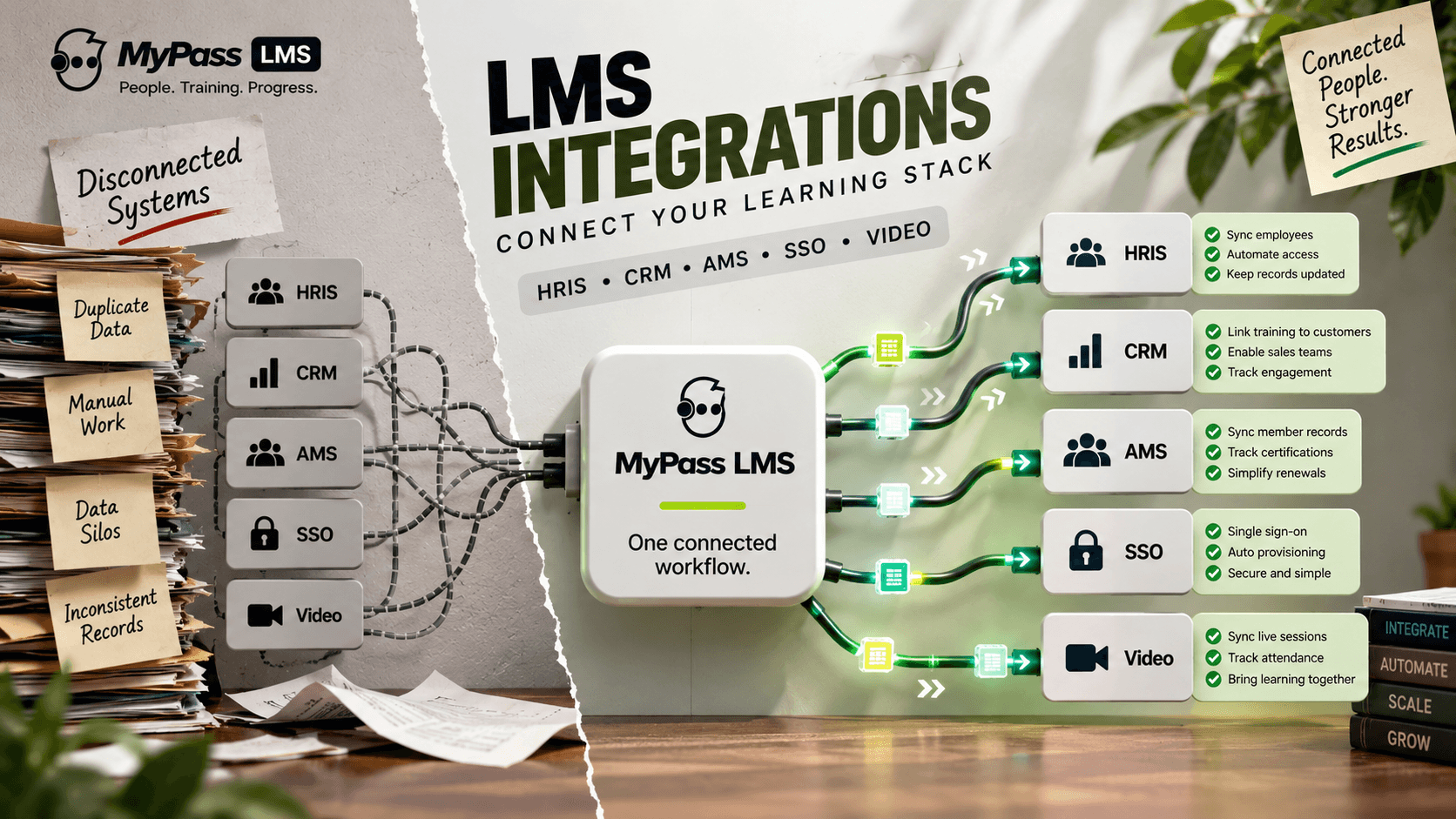
LMS integrations connect your learning platform to the other systems you run, such as HR software, CRM, and association management systems, so data flows automatically instead of by hand. They matter because an LMS that cannot connect creates duplicate work and data silos. The main methods are native connectors, APIs, webhooks and SSO.
What an LMS Integration Is
An LMS integration is a connection between your learning platform and another system, built so the two share data automatically. Instead of exporting a spreadsheet of new hires from your HR system and importing it into the LMS by hand, an integration keeps them in sync on its own.
This matters because an LMS never operates alone. It sits in a stack alongside HR software, a CRM, sometimes an association management system, a video conferencing tool and single sign-on. When those systems cannot talk to the LMS, staff end up rekeying data, records drift out of sync, and reporting fractures across tools. Integration is what turns a collection of separate systems into one connected workflow.
Key point
A quick way to judge an LMS: ask what happens when a new employee joins. If someone has to manually create their LMS account, the platform is not properly integrated with your HR system.
The Main Types of Integration
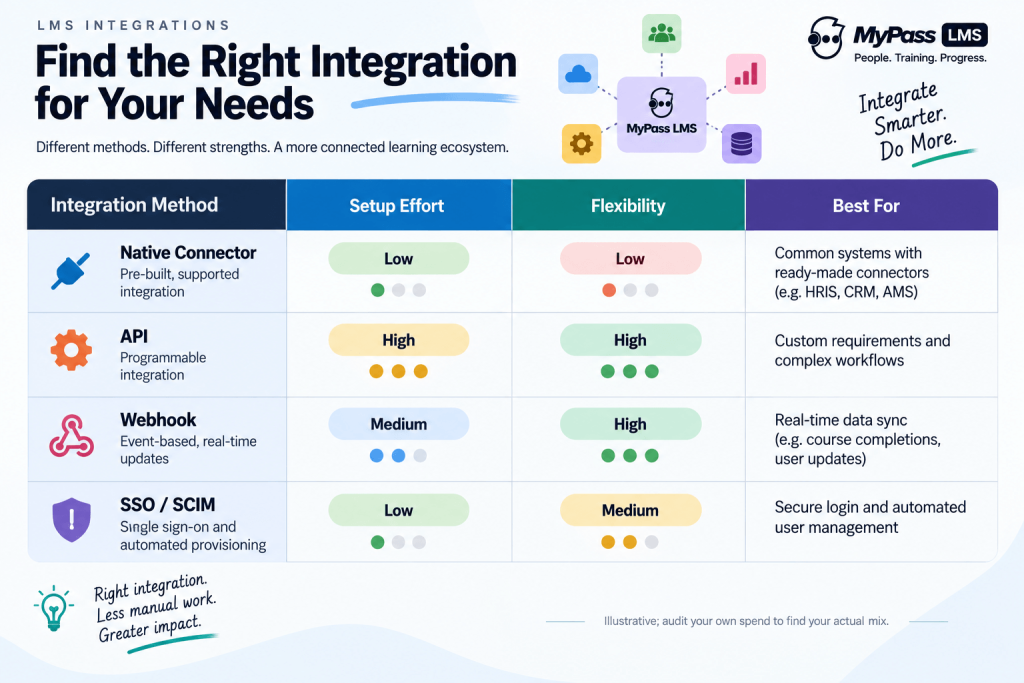
Integrations are not all the same. They range from ready-made connectors you switch on to custom links built through an API. Knowing the types helps you ask the right questions.
- Native connectors: pre-built, supported integrations with named systems. The easiest option: switch on and configure.
- API: a programmable interface that lets your systems exchange data flexibly. More work, but handles almost any custom need.
- Webhooks: automatic push messages when something happens, such as a course completion triggering an update elsewhere.
- SSO and provisioning: single sign-on for login, and SCIM for creating and removing accounts automatically.
- Content standards: SCORM and xAPI, which let course content and tracking move between systems.
The Integrations That Matter Most
Some connections do far more work than others. These are the ones worth confirming before you buy, because they remove the most manual effort.
| Integration | What it does | Why it matters |
| HRIS (e.g. Workday, BambooHR) | Syncs employee records | Auto-creates and removes accounts, assigns by role |
| SSO (e.g. Okta, Entra ID) | Single login | No separate LMS password, central access control |
| CRM (e.g. Salesforce) | Links training to customers | Powers customer and partner training, sales enablement |
| AMS (e.g. iMIS, MemberClicks) | Syncs member records | Essential for associations: CE tracking, member access |
| Video (e.g. Zoom, Teams) | Connects live sessions | Schedules and tracks virtual instructor-led training |
For associations especially, the AMS integration is not optional: without it, member records and continuing-education credits have to be reconciled by hand, which defeats the purpose of running an LMS at all.
What to Check Before You Buy
Integration is one of the leading causes of LMS implementations running over budget, usually because it was underestimated. A short set of questions during evaluation prevents most of that pain.
- Does it have a native connector for my key systems, or will everything need custom API work?
- Does it support SSO and automated provisioning, or only manual account creation?
- Is there a documented, open API for anything not covered by a connector?
- Does it support SCORM and xAPI so my existing content and tracking move cleanly?
- What does it cost: are integrations included, or licensed separately as add-ons?
Key point
Map your stack before you shortlist. List every system the LMS must connect to, then ask each vendor specifically how it integrates with each one. 'We have an API' is not the same as 'we have a native connector for that'.
How MyPass LMS Handles Integration
MyPass LMS is built to sit inside an existing stack rather than beside it. It offers native integration with eight association management systems, including iMIS and MemberClicks, with bidirectional sync so member records and continuing-education data stay current without manual reconciliation. It supports single sign-on and user provisioning, SCORM 1.2 and 2004 for content portability, and a WordPress plugin for sites built on WordPress.
The practical result is fewer silos and less rekeying: accounts and records stay in step with your source systems, and training data flows into the same place you report from. For associations in particular, the native AMS sync removes the manual credit-tracking work that otherwise eats the time an LMS is supposed to save.
Key point
For associations, the AMS integration is the deciding factor. Ask any LMS vendor whether they integrate natively with your specific AMS, or only through a paid third-party bridge, because the difference is significant in cost and reliability.
The bottom line
LMS integrations are what turn a standalone learning platform into part of a connected workflow. They sync data with your HR system, CRM, AMS and video tools so records stay current and staff stop rekeying. The methods range from switch-on native connectors to flexible APIs, and getting them right is one of the biggest factors in whether an LMS rollout succeeds.
Before you buy, map your stack and confirm each connection specifically. See how native AMS integration, SSO and content standards work in MyPass LMS features, read about SSO and user provisioning, or start a free trial.
Frequently asked questions
What are LMS integrations?
LMS integrations are connections between your learning platform and other systems, such as HR software, CRM, association management systems and video tools, built so they share data automatically. Instead of manually exporting and importing records, an integration keeps the systems in sync, which removes duplicate work and prevents the data silos that fragment reporting.
What systems should an LMS integrate with?
The highest-value integrations are your HRIS (to auto-create and remove accounts), SSO and provisioning (for secure, hands-off access), your CRM (for customer, partner and sales training), your AMS if you are an association (for member records and CE tracking), and video conferencing (for virtual instructor-led sessions). SCORM and xAPI support also lets content and tracking move cleanly.
What is the difference between a native connector and an API integration?
A native connector is a pre-built, supported integration with a named system that you switch on and configure, with little technical effort. An API integration is a custom link built using the platform's programmable interface, which is more flexible and can handle almost any need but requires development work. Native connectors are easier; APIs cover everything a connector does not.
Why do LMS integrations matter for associations?
Because associations run an AMS that holds member records and continuing-education data. Without a native LMS-to-AMS integration, staff must reconcile member access and CE credits by hand, which defeats the purpose of automating training. A bidirectional AMS sync keeps member records and credits current automatically, which is why AMS integration is often the deciding factor for association LMS buyers.
Keep reading
Associations & CE
Nimble AMS LMS Integration Explained
Associations & CE
iMIS LMS Integration: What Two-Way Sync Should Actually Do
Choosing an LMS
LMS Pricing Without Per-User Fees: What Flat-Rate Actually Costs
Choosing an LMS