
How to Choose an LMS: A 12-Step Process for Associations
On this page 6 sections
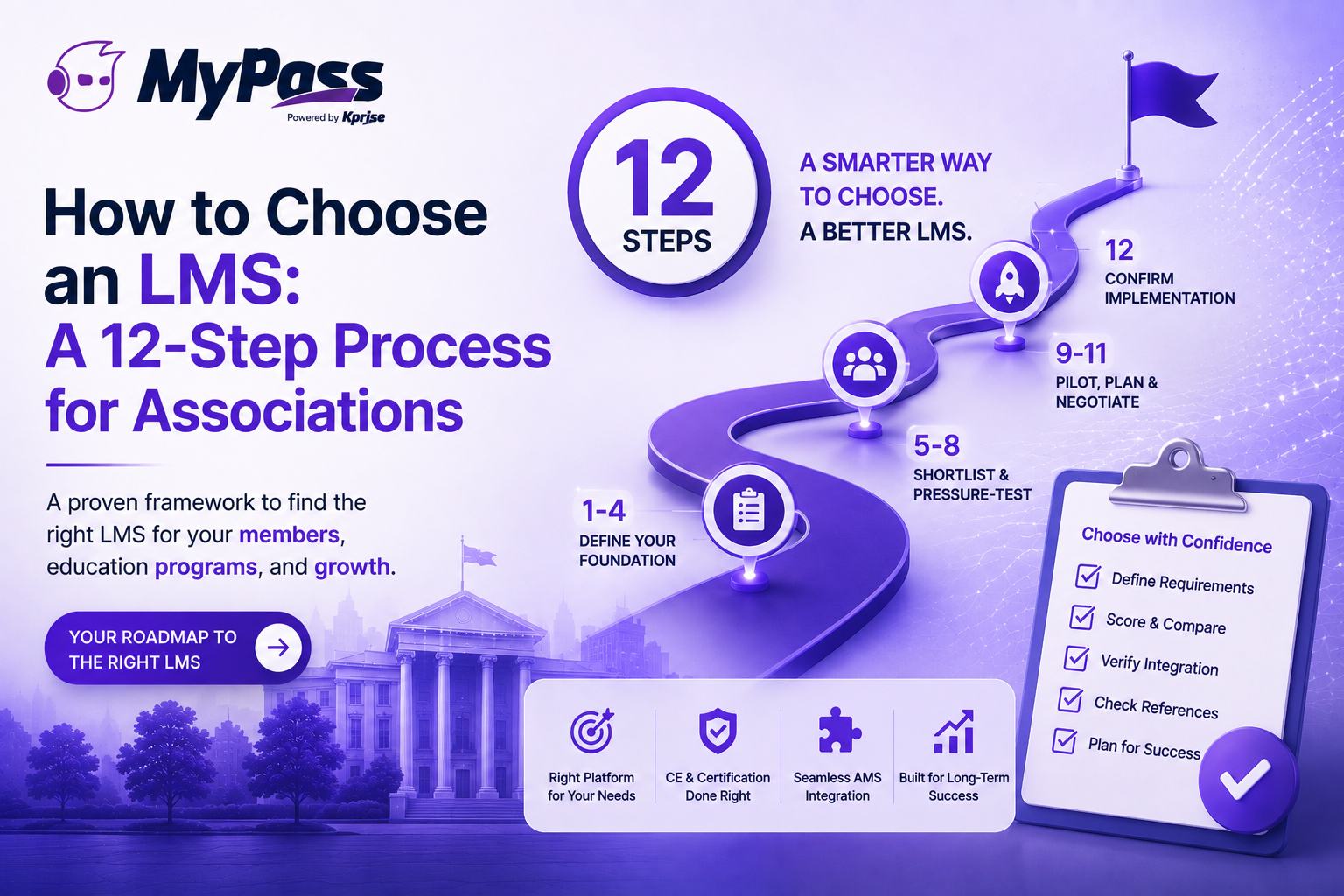
To choose an LMS for your association, work through twelve steps in order: define your requirements, confirm AMS integration needs, set your budget model, shortlist vendors, issue an RFP, score demos against a scorecard, verify CE and certification handling, check references, run a pilot, plan migration, negotiate on total cost, and confirm the implementation timeline. The single most important step for associations is verifying native, bidirectional AMS integration — get that wrong and everything downstream becomes manual.
Buying the wrong LMS is a three-year mistake
Most LMS contracts run multiple years, migration is painful, and switching later means moving learner records, CE history and certifications all over again. So the cost of choosing badly isn't just the license fee — it's being stuck with a platform that quietly generates manual work for your staff until the renewal you finally escape it.
That's the case for slowing down and running a real process. The twelve steps below are the version we'd run for an association specifically — where AMS integration [→ /product/integrations] , CE tracking and certification aren't nice-to-haves but the whole point. Work them in order; each one narrows the field before the next.
Steps 1-4: define what you actually need before you look at vendors
The most common mistake is starting with demos. You'll be dazzled by features you don't need and forget to check the ones you do. Define requirements first, vendors second.
- Step 1 — Map your real requirements. List what the platform must do: which credit types you award, whether you run certifications, whether you sell courses. Separate must-haves from nice-to-haves now, in writing.
- Step 2 — Confirm your AMS integration need. Identify your exact system — iMIS, Nimble AMS, MemberClicks, Fonteva [→ /product/integrations] or another — and make native bidirectional integration a hard requirement, not a preference. This single criterion eliminates more unsuitable vendors than any other.
- Step 3 — Choose your budget model, not just a number. Decide whether per-seat, per-active-user or flat pricing fits your membership. For associations, per-seat pricing that bills for every member on the roster is usually the wrong shape.
- Step 4 — Assemble a small evaluation team. Include whoever owns member data, whoever runs education, and whoever will administer the platform day to day. Three people with clear roles beats a committee of ten.
Key point
→ Do the unglamorous work first. An hour spent writing down must-have requirements saves you from a six-month implementation discovering the platform can't report CME to your accrediting body.
Steps 5-8: shortlist, then pressure-test
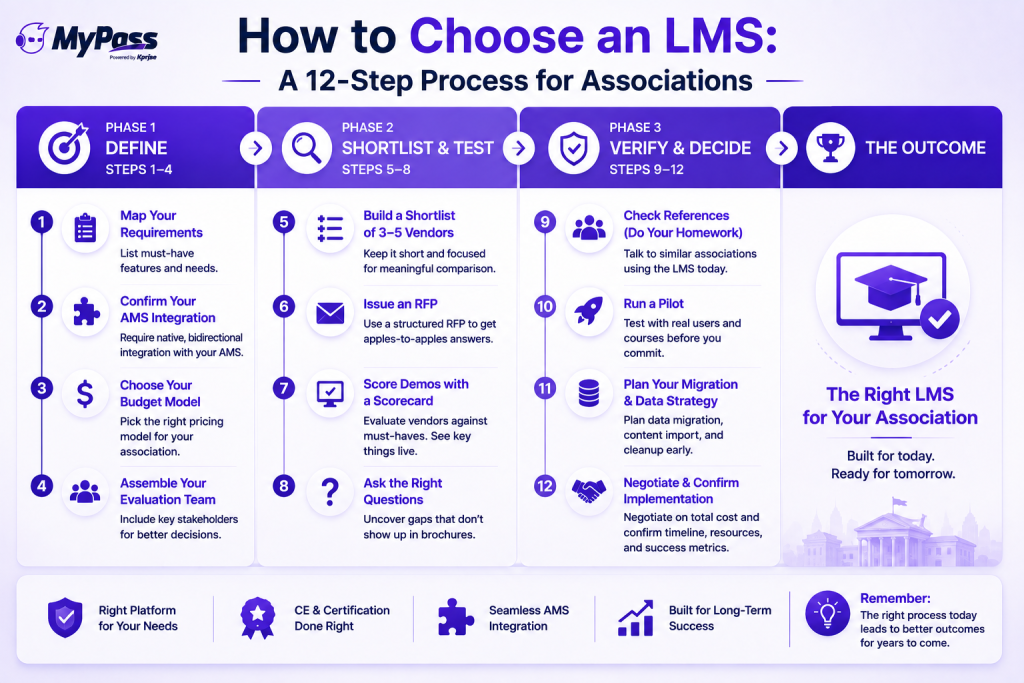
- Step 5 — Build a shortlist of 3-5 vendors. More than five and comparison becomes noise. Use your requirements list to cut, not vendor marketing.
- Step 6 — Issue an RFP. A structured request keeps vendors answering the same questions so you can compare like for like. Use a ready-made LMS RFP template rather than writing one from scratch.
- Step 7 — Score demos against a scorecard, not a vibe. Rate each demo on your must-haves. And insist on seeing the hard things live — a CE credit writing back to a member profile, not just a slide claiming it happens.
- Step 8 — Ask the questions vendors hope you won't. These 15 questions surface the gaps that don't appear in a polished demo — implementation timelines, hidden fees, what breaks at your member volume.
Steps 9-12: verify, pilot, and negotiate on total cost
- Step 9 — Verify CE and certification handling against your specifics. Not 'do you track CE?' but 'show me how you record a fractional CME credit and export it for our accrediting body.' Generic completion tracking is not CE tracking.
- Step 10 — Check references and run a pilot. Talk to associations like yours on the platform. If you can, pilot with real content and a real cohort before signing — a free tier or trial makes this possible without commitment.
- Step 11 — Plan the migration before you sign. Confirm the vendor guarantees full historical credit and learner-data migration, so no member loses their record in the move.
- Step 12 — Negotiate on total cost of ownership, not the headline. Add up license, implementation, AMS bridges, SSO, proctoring and support over three years. A low per-seat rate can lose to a flat platform once your membership scales.
Key point
→ The number that matters is the three-year total with your real member count in it — not the monthly rate on the pricing page. Implementation and add-ons routinely inflate the headline figure by 20-40%.
The bottom line
Choosing an LMS well is mostly about doing the boring steps in the right order: requirements before demos, integration as a hard filter, and total cost over three years instead of a monthly rate. For an association, the one step you cannot get wrong is native bidirectional AMS integration — it determines whether the platform saves your staff work or quietly creates it. Run the twelve steps and the decision makes itself.
MyPass LMS was built to pass an association's evaluation on the criteria that matter — native integration with eight AMS platforms, real CE and certification handling, and unlimited registered users so the three-year math stays sane. Compare it against your shortlist , or start a free trial and run your Step 10 pilot on it directly.
Frequently Asked Questions
How do I choose an LMS for my association?
Follow a structured process: define requirements, make AMS integration a hard requirement, choose a budget model, shortlist 3-5 vendors, issue an RFP, score demos, verify CE and certification handling, check references, pilot, plan migration, and negotiate on three-year total cost of ownership.
What's the most important factor when choosing an association LMS?
Native, bidirectional integration with your specific AMS. Without it, member data and CE credits require manual entry, and other features like tier-based enrollment and SSO can't work properly. Make it a hard filter, not a preference.
Should I use an RFP to choose an LMS?
Yes, for a structured decision. An RFP keeps vendors answering the same questions so you can compare like for like. Using a ready-made LMS RFP template saves time and ensures you don't miss critical criteria.
How long does it take to choose and implement an LMS?
Selection typically takes a few weeks to a few months depending on process rigor. Implementation — including AMS integration, SSO and content migration — usually runs 2 to 6 weeks once you've signed.
Should I pilot an LMS before buying?
If you can, yes. Piloting with real content and a real cohort surfaces problems a demo won't. A free tier or trial lets you run a genuine pilot without commitment.
Keep reading
Choosing an LMS
How to Choose a Free LMS Without Regret
Choosing an LMS
LMS Pricing Without Per-User Fees: What Flat-Rate Actually Costs
Choosing an LMS
Free LMS or Free Trial? The Five Kinds of Free
Choosing an LMS