
How Much Does an LMS Cost? A Plain-English Pricing Guide
On this page 10 sections
- The Honest Answer: It Depends (Here's On What)
- The Pricing Models, Explained
- What Actually Drives the Price
- The Hidden Costs Nobody Advertises
- A Rough Idea of the Ranges
- How to Budget Without Overpaying
- Where MyPass LMS Fits on Price
- Test Yourself: 5 Quick Questions
- The bottom line
- Frequently asked questions
Short answer
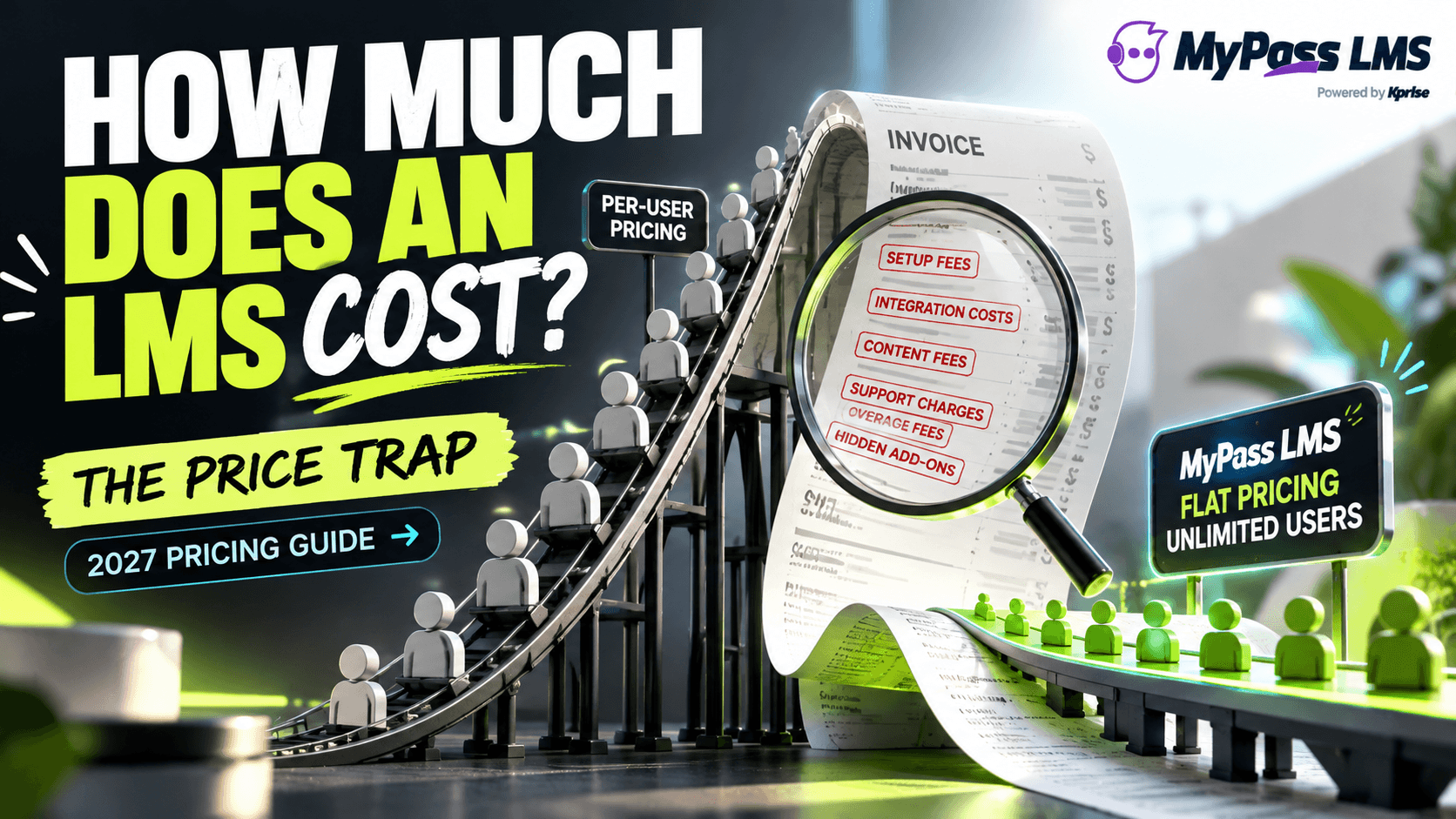
LMS costs vary enormously, from free to a few hundred dollars a month for small teams, up to tens of thousands a year for enterprise platforms. The price depends mainly on the pricing model (per-user, per-active-user, flat or free), your number of users, and the features you need. The biggest trap is hidden fees beyond the headline price.
The Honest Answer: It Depends (Here's On What)
If you've been searching for a straight number, you've probably noticed nobody gives you one, and that's not evasion, it's the truth. LMS pricing genuinely ranges from completely free to tens of thousands of dollars a year, because 'an LMS' covers everything from a free open-source platform you host yourself to a huge enterprise system for 50,000 employees. Asking 'how much does an LMS cost' is a bit like asking 'how much does a vehicle cost', the honest answer is a question back: what kind, for how many, with what?
The good news is that the price isn't random. A handful of clear factors drive it, and once you understand them, you can estimate your own likely cost and, just as importantly, spot when a quote is padded. This guide walks through the pricing models, what pushes the number up or down, the hidden fees that catch buyers out, and how to budget sensibly. By the end you'll be able to read any LMS quote and know what you're actually paying for.
Key point
There's no single LMS price because 'an LMS' spans free self-hosted tools to huge enterprise platforms. But the cost is driven by a few clear factors, so once you know them, you can estimate yours and spot an inflated quote.
The Pricing Models, Explained
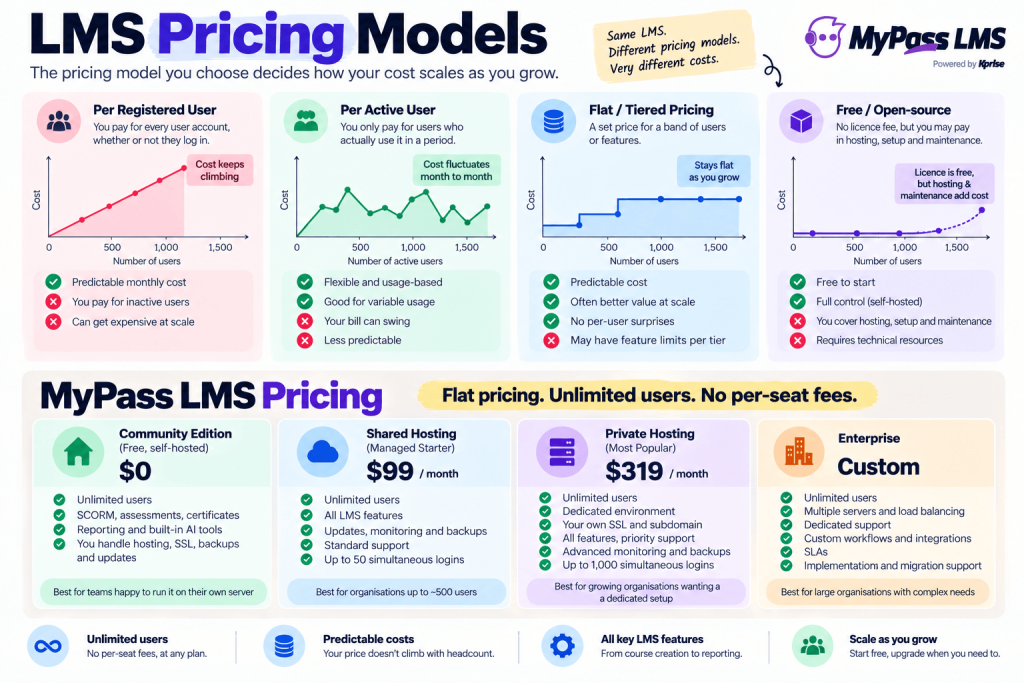
Almost every LMS uses one of a few pricing models, and the model matters as much as the headline number, because it decides how your cost changes as you grow. Here are the common ones.
- Per registered user: you pay for every user account, whether or not they log in. Predictable, but you pay for inactive people.
- Per active user: you pay only for users who actually use it in a period. Flexible, but your bill swings month to month.
- Flat pricing: one price regardless of how many users you have, no per-user charging at all. Your cost doesn’t climb as you add people, which makes it predictable and usually the best value at scale. MyPass LMS sits in this category.
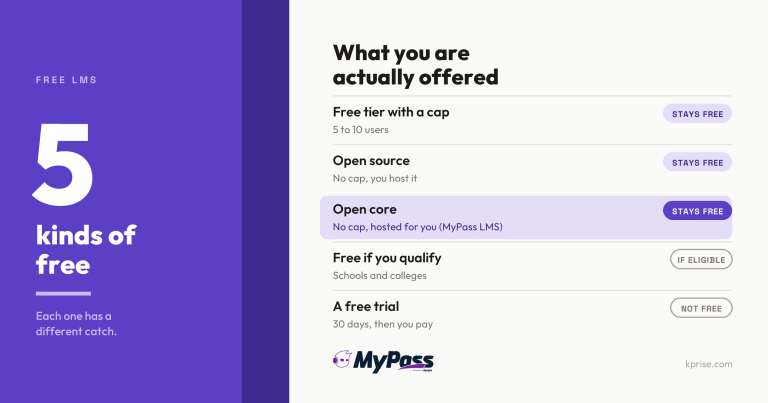
- Free / open-source: no licence fee, but you may pay in hosting, setup, maintenance and your own time.
- One-time / perpetual licence: less common now, you buy it once (often self-hosted) rather than subscribing.
What Actually Drives the Price
Within any model, a few factors push your cost up or down. Knowing them helps you understand a quote and work out where you can save.
- Number of users: usually the biggest single driver, especially on per-user models.
- Pricing model: per-user gets expensive at scale; flat pricing often wins as you grow.
- Features: advanced features (AI, deep reporting, integrations, e-commerce) cost more than the basics.
- Support and service level: premium support, a dedicated manager and SLAs add to the price.
- Hosting and deployment: cloud/SaaS is usually included; self-hosting shifts cost to your own infrastructure.
- Customisation: branding, custom development and complex integrations add one-off and ongoing costs.
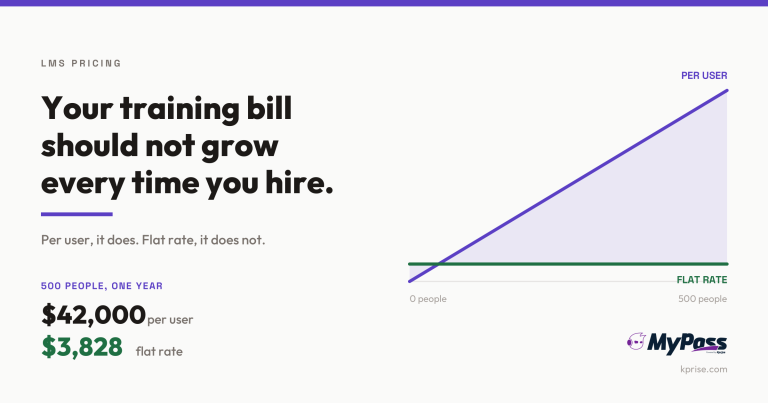
The single factor that trips up the most buyers is the interaction between user count and pricing model. A per-user price that looks cheap for 50 people can balloon at 5,000. If you're growing, the pricing model can matter more to your long-term cost than the per-unit price, which is why flat pricing with unlimited users changes the maths so much at scale.
The Hidden Costs Nobody Advertises
Here's where budgets get blown: the headline price is often not the real price. Plenty of LMS costs sit outside the per-user figure on the pricing page, and if you don't ask about them upfront, they arrive later as unpleasant surprises. Before you sign anything, check for these.
- Setup and implementation fees: a one-off charge to get you up and running, sometimes substantial.
- Content costs: the platform is empty, courses you buy or build are a separate expense.
- Add-on modules: features marketed as included that turn out to be paid extras.
- Overage fees: charges when you exceed your user or usage limit, easy to trigger as you grow.
- Support tiers: decent support locked behind a higher-priced plan.
- Integration and migration costs: connecting to your systems or moving off your old LMS.
Key point
The headline per-user price is rarely the whole price. Always ask: what are the setup fees, what counts as an add-on, and what happens to my bill when I add users or exceed a limit? The hidden costs are where budgets break.
A Rough Idea of the Ranges
With all those caveats, people still want ballpark figures, so here's a rough, honest picture of where LMS pricing tends to land. Treat these as orientation, not quotes, your actual cost depends on everything above.
| Type of buyer | Rough annual cost | Typical model |
| Free / very small team | $0 to low hundreds | Free edition or open-source (you cover hosting/time) |
| Small business | Hundreds to low thousands | Per-user or entry tiered plans |
| Mid-size organization | Low to mid five figures | Tiered or flat plans, more features |
| Large enterprise | Mid five figures and up | Enterprise tiered/custom, premium support |
Two honest notes on this table. First, the ranges overlap and vary a lot by vendor and region, so use them to sense-check, not to budget precisely. Second, a free or flat-priced option can serve a surprisingly large organization well, 'enterprise scale' doesn't automatically mean 'enterprise price' if the pricing model is in your favour. To get a real number for your situation, our LMS cost calculator is a faster route than collecting quotes.
How to Budget Without Overpaying
You don't need to become a pricing expert to avoid overpaying, you just need to shop with the right questions. A few practical moves protect your budget. Work out your real user count, now and projected, because that drives most of the cost and determines which pricing model favours you. List the features you actually need versus the ones that just sound good, so you're not paying for an enterprise suite to run basic onboarding. And always, always ask for the all-in cost including setup, support and likely add-ons, not just the per-user headline.
It's also worth being clear-eyed that the cheapest option isn't automatically the best value, a free LMS that costs you weeks of staff time, or a cheap per-user plan that balloons as you grow, can cost more in reality than a predictably priced platform. Our 15 questions to ask every LMS vendor and the LMS buyer's guide are built to help you compare on true cost and fit, not just the sticker price.
Key point
Shop on total cost of ownership, not the headline per-user price. The real comparison is 'what will this actually cost me, all-in, at my size, in two years', and that's often very different from the number on the pricing page.
Where MyPass LMS Fits on Price
Since this is our guide, here's the straight version of where we sit. MyPass LMS uses flat pricing with unlimited registered users rather than charging per seat, which is designed to solve exactly the trap this article keeps flagging, costs that balloon as you add people. For a growing or large organization, that often makes the total cost dramatically more predictable than per-user alternatives.
There's also a genuinely free Community Edition if you want to start at zero cost, and paid plans when you need more. We'd rather you compare honestly than take our word for it, so the pricing page, the cost calculator and our LMS comparisons are all there to help you work out the real number for your situation, against us and against others. The point of this guide isn't to sell you our price; it's to make sure you can read anyone's.
Key point
A practical first step: get your real user count and must-have features straight, then run them through a cost calculator before you take a single sales call. You'll walk into every conversation knowing roughly what you should be paying.
Test Yourself: 5 Quick Questions
Think you've got LMS pricing figured out? Here's a quick 5-question check. Answers are at the end of each question.
Q1. You have 5,000 employees and expect to grow. Which pricing model is most likely to get expensive fastest?
- A) Flat / tiered pricing
- B) Per registered user
- C) Free / open-source
Key point
Answer: B. Per-registered-user pricing charges for every account, so it climbs steeply as your headcount grows, which is exactly why large organizations often prefer flat pricing.
Q2. The pricing page shows a low per-user price. What's the most important thing to check before trusting it?
- A) The colour of the pricing page
- B) The hidden costs: setup, add-ons, support tiers and overage fees
- C) Whether the logo looks professional
Key point
Answer: B. The headline price is rarely the whole price. Setup, content, add-ons, support tiers and overage fees are where budgets quietly blow out, so always ask for the all-in cost.
Q3. 'Per active user' pricing means you pay for...
- A) Every user account you create, active or not
- B) Only users who actually use the platform in a given period
- C) A flat fee regardless of users
Key point
Answer: B. Per-active-user pricing bills only for users who actually log in and use it in the period, which is flexible but makes your monthly bill harder to predict.
Q4. Which of these is a genuine hidden cost to ask about?
- A) Setup and implementation fees
- B) The price of the vendor's coffee
- C) How many staff the vendor has
Key point
Answer: A. One-off setup and implementation fees are a common hidden cost that sits outside the per-user headline, sometimes a substantial amount, so always ask about them upfront.
Q5. Why isn't the cheapest LMS automatically the best value?
- A) Cheap options are always bad
- B) A low price can hide costs in staff time, ballooning fees as you grow, or missing features you'll need
- C) Expensive always means better
Key point
Answer: B. Value is about total cost of ownership and fit, not the sticker price. A 'free' or cheap LMS can cost more in reality through staff time, overage fees or features you end up paying extra for.
The bottom line
So, how much does an LMS cost? Anywhere from free to tens of thousands a year, driven mainly by your pricing model, user count and features, with hidden fees (setup, content, add-ons, overage, support tiers) the thing most likely to blow your budget. The real skill isn't finding one number, it's learning to read any quote for its true, all-in cost at your size.
Get your user count and must-have features straight, then shop on total cost of ownership. Run your numbers through our LMS cost calculator, see how flat, unlimited-user pricing compares, or read the 15 questions to ask every LMS vendor. Want to start free? Explore MyPass LMS.
Frequently asked questions
How much does an LMS cost?
It ranges from free to tens of thousands of dollars a year. Free or open-source options can cost nothing in licence fees (though you may pay in hosting, setup and staff time). Small businesses often pay from the low hundreds to low thousands a year; mid-size organizations low to mid five figures; and large enterprises mid five figures and up. The price depends mainly on the pricing model (per-user, per-active-user, flat or free), your number of users, and the features you need, so there's no single figure.
What are the main LMS pricing models?
The common ones are: per registered user (you pay for every account, active or not), per active user (you pay only for users who actually use it in a period), tiered or flat pricing (a set price for a band of users or features), and free or open-source (no licence fee, but you may pay in hosting, maintenance and time). There's also the older one-time or perpetual licence. The model matters as much as the headline price because it determines how your cost grows as you add users.
What hidden costs should I watch for with an LMS?
The headline per-user price is often not the full price. Watch for setup and implementation fees (sometimes substantial), content costs (the platform starts empty, so courses are a separate expense), add-on modules that turn out to be paid extras, overage fees when you exceed a user or usage limit, decent support locked behind higher-priced tiers, and integration or migration costs. Always ask a vendor for the all-in cost including these, not just the per-user figure, because hidden fees are where LMS budgets most often blow out.
Is a per-user or flat-rate LMS cheaper?
It depends mostly on your size and growth. Per-user pricing can look cheap for a small team but climbs steeply as you add people, so it often becomes expensive at scale. Flat or tiered pricing has a set cost for a band of users, which usually becomes better value as you grow and makes budgeting far more predictable. If you have a large or growing workforce, a flat model (especially one with unlimited users) frequently works out cheaper over time, while a small, stable team might pay less on a per-user plan. Compare total cost at your projected size, not just the per-unit price.
Keep reading


Tracking & ROI
How to Reduce Training Costs Without Cutting Quality
Choosing an LMS
LMS Pricing Without Per-User Fees: What Flat-Rate Actually Costs
Choosing an LMS