
LMS With Built-In Authoring and Assessments: What You Actually Need
On this page 9 sections
Short answer
An LMS with built-in authoring lets you build courses and assessments inside the platform instead of buying a separate tool. It covers most corporate and compliance training. Dedicated tools like Storyline still win for software simulations, variable-driven branching and screen recording, which built-in editors generally cannot do.
Built-In Authoring Means Four Different Things
This is the first place buyers get caught out. Two vendors can both tick a box marked authoring and be offering completely different things.
- A page builder. Drag text, images and video into a lesson. Fine for policy content and internal comms, thin for anything interactive.
- PowerPoint import. You build in PowerPoint and the platform converts it. Fast if your content already lives in slides, limited by what a slide can do.
- An AI course generator. You give it a document or a topic and it drafts the course. Good for a first draft, still needs a human edit.
- Full SCORM authoring inside the LMS. You build the course, the platform packages it as a standard SCORM module, and it tracks properly.
Only the last of those produces something portable. If the authoring is a proprietary page builder, your courses live in that vendor's format, which matters a great deal on the day you migrate. Our guide to SCORM, xAPI and AICC explains why the packaging format is worth asking about before you build 200 modules.
Ask any vendor which of the four they mean. Ask whether the output is SCORM, and ask to see a course exported.
What a Separate Authoring Tool Actually Costs
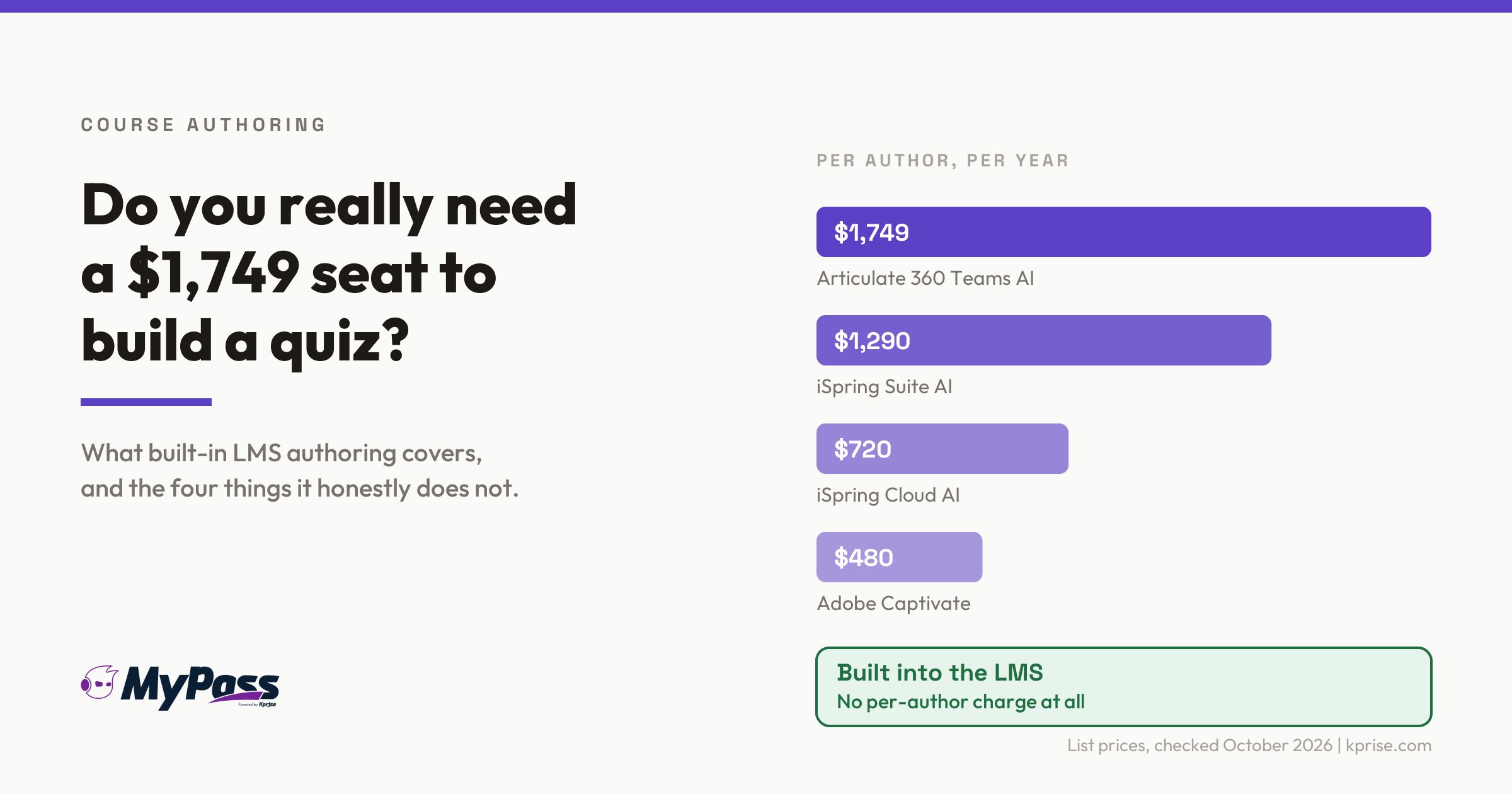
This is the number that decides most of these conversations, and it sits on top of your LMS subscription rather than inside it. List prices, checked September and October 2026.
| Tool | Price | Notes |
| Articulate 360 Teams AI | 1,749 dollars per author per year | Annual billing only. Personal is 1,449. Education rates are 1,311 and 1,086 |
| iSpring Suite AI | 1,290 dollars per author per year | Desktop, Windows and PowerPoint only, no native Mac version |
| iSpring Suite | 970 dollars per author per year | Cheaper, but AI features are capped and cloud storage is 500MB |
| iSpring Cloud AI | 720 dollars per author per year | Browser based. Team option is 2,160 dollars for three authors |
| Adobe Captivate | About 480 dollars per author per year | Published at 39.99 dollars a month |
| Articulate Reach Pro | From 3,600 dollars a year | Their distribution layer, for 1,200 active learners. Quoted by sales |
Two authors on Articulate 360 Teams is roughly 3,498 dollars a year before you have paid for an LMS at all. iSpring sells its authoring and its LMS separately too, with the LMS starting around 6.91 dollars per active user per month on the 100-user tier.
None of that is bad value if you need what those tools do. It is poor value if you are building compliance modules and quizzes, which is what most organisations are actually doing.
What Built-In Authoring Genuinely Cannot Do
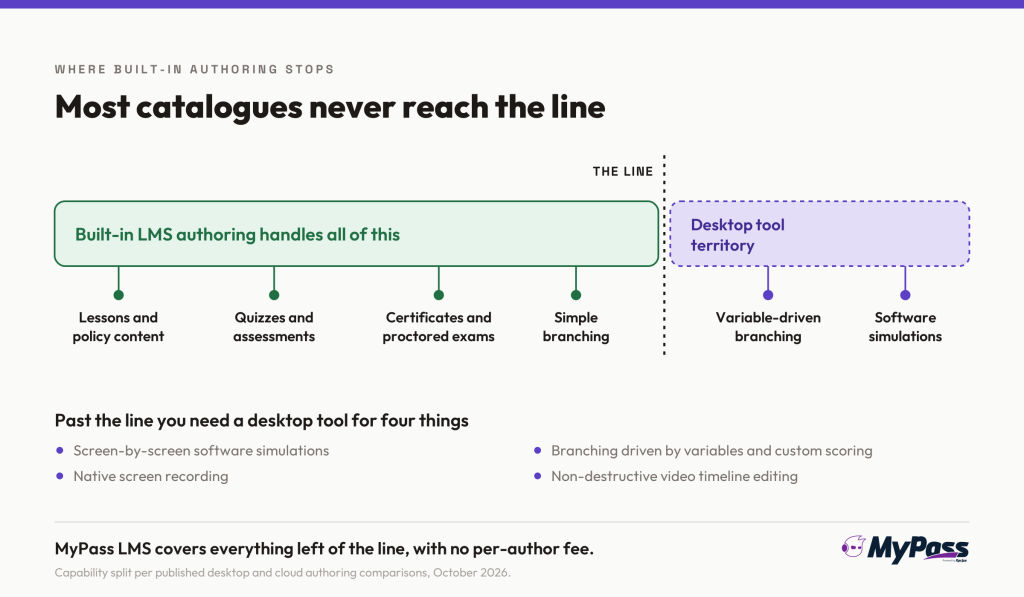
Here is the honest limit, and any vendor who tells you otherwise is overselling. Browser-based and built-in editors are constrained in ways desktop tools are not.
- Software simulations. Recording an ERP or clinical system screen by screen and letting learners practise in a simulated interface. This needs a desktop capture engine. Built-in editors do not do it.
- Variable-driven branching. Scenarios where the path changes based on accumulated choices, with custom scoring logic behind it. Built-in tools usually manage simple branching at best.
- Native screen recording. Desktop tools include it. Built-in editors generally expect you to bring the video.
- Proper video editing. A non-destructive timeline. Built-in editors usually offer trim and cut, nothing more.
- Working offline. No connection, no authoring. For most teams that is irrelevant, for some it is a deal-breaker.
Worth noting that the clearest write-up of this split comes from a desktop tool vendor, so the framing leans their way. The capability gaps themselves are real regardless.
The Assessment Half Nobody Checks
Buyers interrogate the authoring and then accept whatever the assessment engine happens to do. That is backwards for anyone running certification or compliance, where the assessment is the part that has to hold up.
- Question types. Multiple choice is table stakes. Ask about multiple response, matching, ordering, hotspot, free text and file upload.
- Question banks and randomisation. Can you hold 200 questions and serve a random 20? Without this, the answers circulate within a week.
- Pass marks, attempts and cooling-off. Can you set a pass mark per assessment, cap retakes, and force a wait between attempts?
- Identity and supervision. For anything that leads to a credential, how do you know who sat it? This is what exam proctoring exists to answer, and the tier you need depends on what the certificate is worth.
- The evidence trail. Who passed, when, on which version of the assessment, and can you produce that for an auditor without a week of spreadsheet work?
That last one is the question that separates a quiz feature from an assessment engine. Plenty of platforms will tell you someone scored 80 percent. Far fewer will show you, a year later, which version of the test they sat.
How to Tell Which You Actually Need
Four questions settle it faster than a feature matrix.
1. What is the most complex thing you will build this year? Be honest. If the real answer is policy modules with a quiz at the end, you do not need a 1,749 dollar seat.
2. How many people will build courses? Authoring tools price per author. One author is manageable, five is a serious annual line item.
3. Do you need software simulations? If you train people on a specific system interface, you need a desktop tool. Nothing built in will cover it.
4. Does your assessment have to stand up to scrutiny? If it leads to a credential or satisfies a regulator, judge the assessment engine before the authoring.
The answer for most organisations is built-in authoring for the bulk of the catalogue, plus one desktop licence held by whoever builds the two or three genuinely interactive courses a year. That combination costs far less than licensing authoring across the team. If you are also weighing whether to build content at all, off-the-shelf versus custom courses covers that decision.
How MyPass LMS Handles Both
We build this, so treat it as us showing our working. Here is what is actually in the platform.
- SCORM authoring is built in. You build courses inside MyPass LMS and the output is standard SCORM, not a proprietary page format, so your content is portable. We wrote this up in built-in SCORM authoring.
- An AI course builder drafts the first version. Give it source material and it produces a structured course to edit, rather than a blank screen. The detail is in how the AI course builder works.
- Assessments, proctoring and certificates sit in the same system. Question handling, three tiers of exam proctoring, branded certificates and audit-ready reporting, without stitching three vendors together.
- No per-author charge. Authoring is part of the platform rather than a seat you license. Ten people can build courses for the same price as one.
- The honest limit. It is not a Storyline replacement. If you need ERP-style software simulations or variable-driven branching with custom scoring, buy a desktop tool for that work and use it alongside.
That last point is the one worth being straight about. The right setup for a lot of teams is a platform that handles the ninety percent, plus one specialist licence for the rest.
The bottom line
Built-in authoring is not a weaker version of Articulate. It is a different answer to a different question. If your catalogue is compliance modules, policy training, onboarding and assessments, built-in authoring covers it and saves you somewhere between 480 and 1,749 dollars per author per year. If you build software simulations or branching scenarios with real logic behind them, no built-in editor will match a desktop tool, and you should buy one.
Before signing anything, ask which of the four kinds of authoring a vendor means, whether the output is standard SCORM, and how the assessment engine handles question banks, retakes and the evidence trail. Those three answers tell you more than any demo.
MyPass LMS has authoring, assessments, proctoring and certificates in one platform with no per-author fee. See what the free edition includes.
Frequently asked questions
Do I need a separate authoring tool if my LMS has built-in authoring?
Usually not. Built-in authoring covers policy training, onboarding, compliance modules and assessments, which is most corporate catalogues. You need a desktop tool for software simulations, variable-driven branching or serious video editing.
How much does an eLearning authoring tool cost?
List prices run from about 480 dollars a year for Adobe Captivate to 1,749 per author per year for Articulate 360 Teams AI, with iSpring between 720 and 1,290. That is charged per author and sits on top of your LMS subscription.
What can Articulate Storyline do that built-in LMS authoring cannot?
Software simulations with screen capture, branching driven by variables and custom scoring logic, native screen recording, non-destructive video editing, and offline authoring. Those are genuine gaps rather than marketing differences.
What should I check in an LMS assessment engine?
Question types beyond multiple choice, question banks with randomisation, pass marks and retake limits, proctoring options if it leads to a credential, and whether you can show an auditor which version of a test someone sat.
Sources
- Published list pricing for Articulate 360, iSpring Suite, iSpring Cloud AI and Adobe Captivate, compiled from vendor pricing pages and checked September and October 2026. Some figures come from third-party comparisons rather than vendor pages and are marked as such.
- ActivePresenter vendor comparison of desktop and cloud authoring capability, covering software simulation, variables, conditional branching, screen recording and offline work. Published by a desktop tool vendor, so its framing favours desktop.
- iSpring LMS published pricing, from 6.91 dollars per active user per month on the 100-user tier as of September 2026, charged separately from authoring licences.
- Articulate Reach Pro distribution pricing, reported from 3,600 dollars a year for 1,200 active learners and quoted by sales rather than published.
Keep reading
Course design & delivery
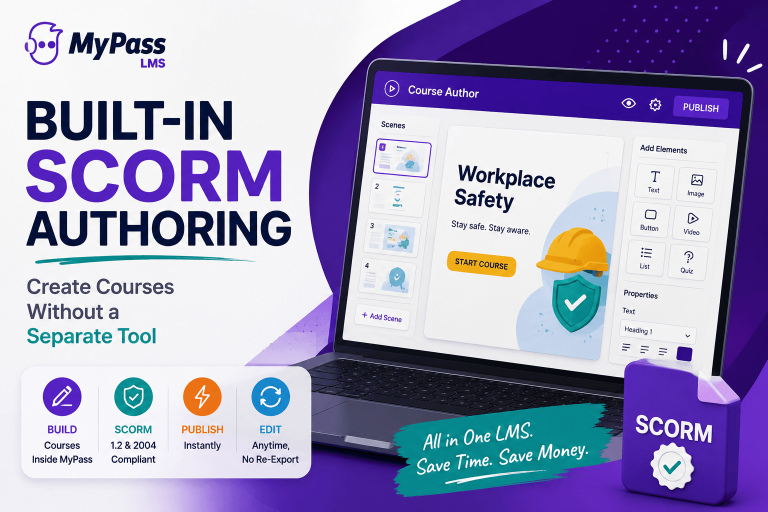
Built-In SCORM Authoring: Create Courses Without a Separate Tool
Choosing an LMS
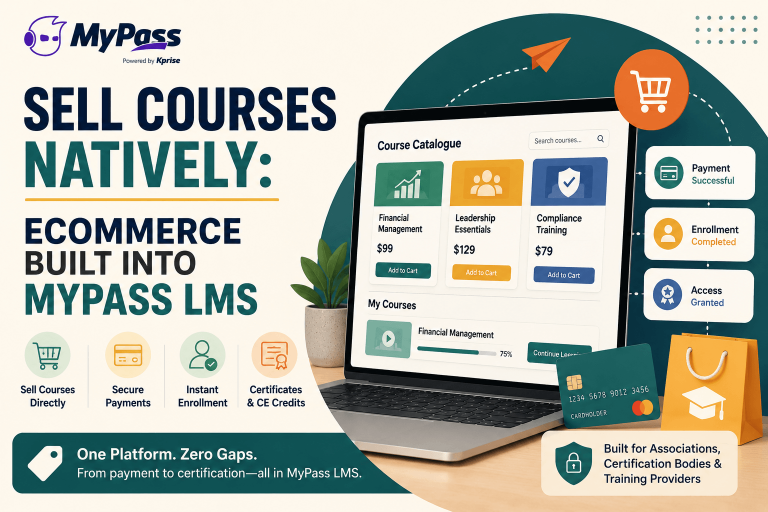
Sell Courses Natively: Ecommerce Built Into MyPass LMS
Course design & delivery
What Is eLearning? A Clear, No-Jargon Guide
Course design & delivery